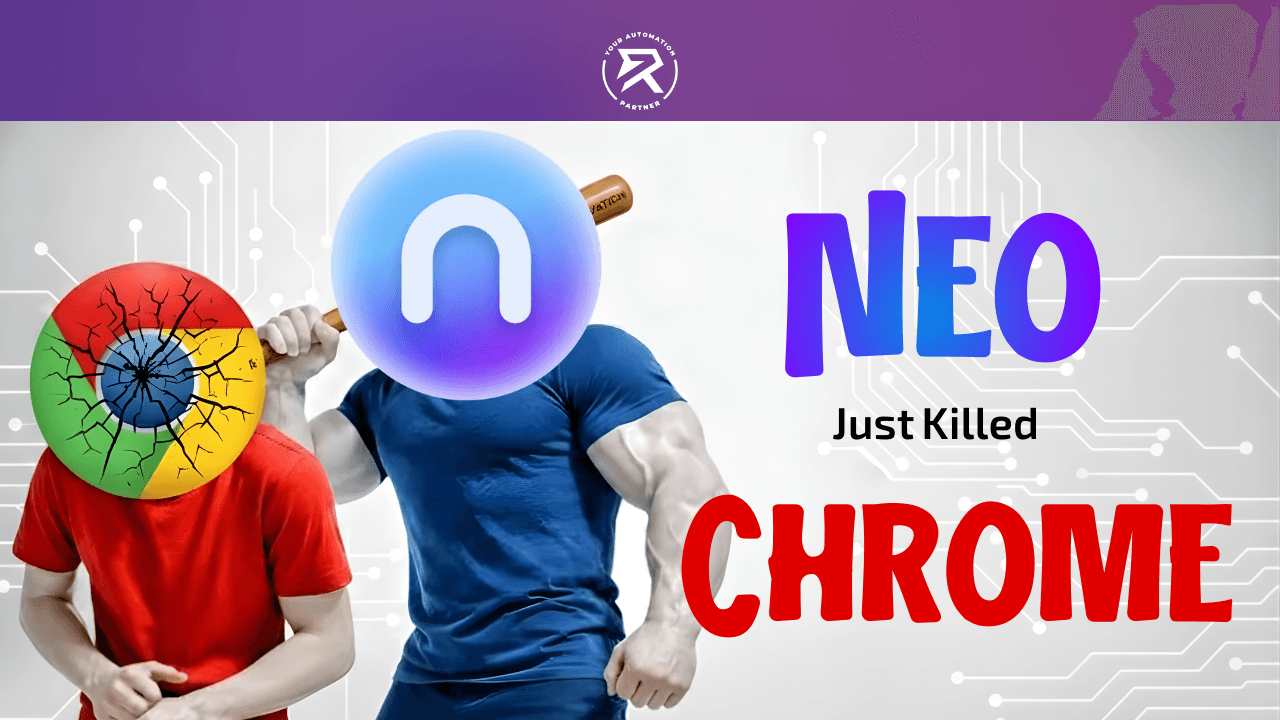
Chrome is Dead: Why Everyone is Switching to Neo AI Browser
6 Cool Things You Need To Know About Neo AI Browser:
A Search Bar That Actually Talks Back: Instead of clicking ten links to find an answer, just ask the "Magic Box" and it tells you exactly what you need to know.
The Ultimate Bodyguard: Since it’s made by Norton, it’s like having a superhero watching your screen to stop hackers and fake websites from tricking you.
A Robot Cleaner for Your Tabs: If you usually have way too many pages open, this browser tidies them up into neat little folders so your screen stays clean.
Make Art and Summarize Homework: You can ask the built-in AI to draw a picture for you or explain a long, boring document in just a few short sentences.
Super Speed for Your Computer: It’s built to work perfectly with your specific laptop, which means your internet moves faster and your battery lasts longer.
Fast & Free: Get the Neo AI browser on Windows and Mac with a simple two-minute setup.
The digital world just moved on, and you’re still stuck in the past. If you are still using a browser that only "opens websites", you are bleeding time and leaving your data exposed. Most people use Google Chrome out of habit, but habits won’t give you an edge in the modern internet era. You need a tool that thinks, protects, and organises. The NeoAI Browser isn't just a window to the web; it's a proactive assistant that handles the heavy lifting while you focus on winning.
Table of Contents:
The Death of Traditional Browsing
What is Norton Neo?
The Roadmap: Setting Up Your AI Browser
Core Features: Magic Box and Neo Chat
Smart Tab Management: End Tab Overload
Security: Norton's Industry-Leading Features
Video Tutorial: NeoAI Browser in Action
FAQ: Answering Your Burning Questions
The Death of Traditional Browsing: Why Chrome is Outdated
The old way of browsing is dead. Opening a tab, searching Google, clicking three links, and then copying text into a separate AI chatbot is a massive waste of energy. In 2026, an AI-native browser must handle these steps in one place. If your browser doesn't have agentic AI built into its DNA, it is a dinosaur. You wouldn't use a flip phone to run a business, so stop using an old browser to run your life.
❌ Bad Habit: Keeping 50 tabs open and manually searching for information across multiple sites.
✅ Best Practice: Using an AI-powered web browser that groups tabs and summarises data instantly.
What is the Norton Neo Browser?
Norton Neo is a powerful AI-native web browser designed by Gen Digital (the power behind Norton). It merges the familiar speed of Chromium-based browsers with artificial intelligence and cyber safety. This is a privacy-first approach to the web. Unlike other browsers that harvest your data for ads, the Neo browser focuses on digital safety and local processing.
According to the official Norton website, security isn't just an add-on; it is the foundation. This browser is built for Mac machines with Apple M series chips and Windows machines using Intel x64 architecture. It’s designed to give you AI assistance without sacrificing your speed or privacy.
How To Set Up Neo Browser
To set up the Neo AI Browser, you simply need to follow a direct path that takes less than five minutes. You start by downloading the official installer and choosing the version that matches your specific computer hardware. Once the installation is complete, you then activate the built-in security features and the local AI engine. By following this exact roadmap, you turn your computer into a high-speed machine and upgrade your digital life instantly.
Step 1: Download and Installation
First, you must navigate to the official download page of Neo Browser to find the installer. It is vital that you choose the right version. This helps you avoid performance lag. For Windows machines, you should always select the Intel x64 installer. This choice ensures stability. Meanwhile, if you are using Mac machines, you must select the version for Apple M-series chips. As a result, the browser communicates directly with your processor for maximum speed.
Select Hardware Version: Match the software to your CPU type easily.
Run the Installer: Double-click the file and follow the prompts.
Import Settings: Bring over your bookmarks to save time immediately.
Warning: Never download browsers from third-party sites. This is because you will end up with malicious extensions. Instead, always use the official source for your digital safety.
The Why: Using the correct version ensures that your Neo Browser runs at peak efficiency. Additionally, this keeps your laptop battery from draining too fast.
Step 2: Configure the Magic Box
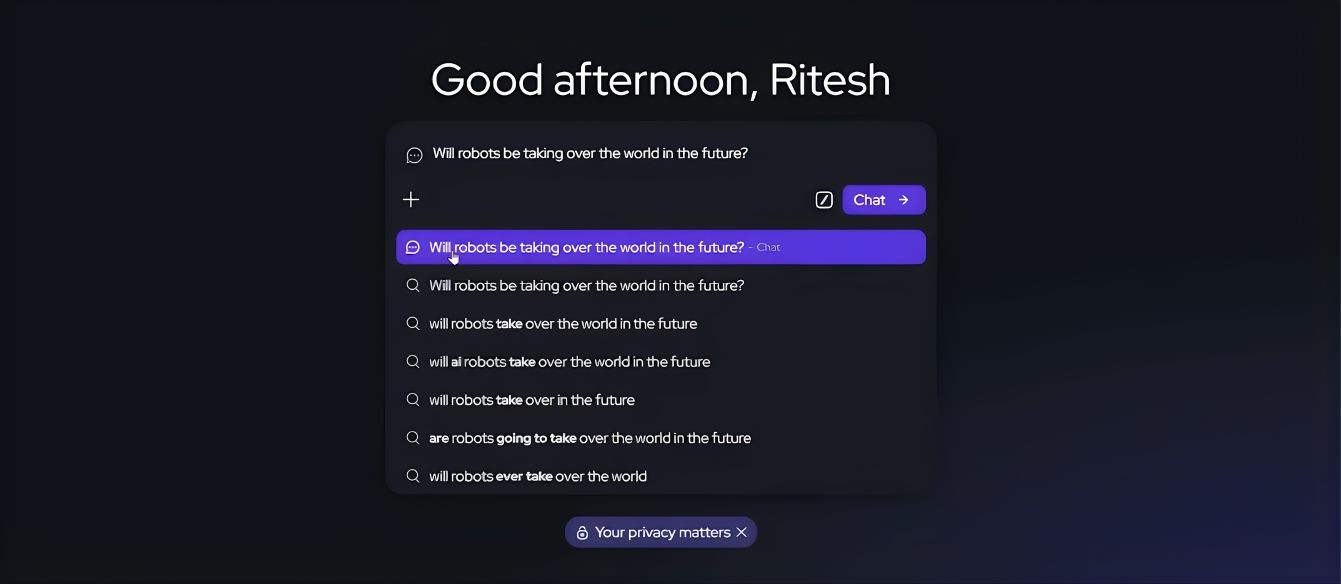
Once you install the software, the "Magic Box" will appear. It sits in the centre of your screen. This tool acts as your new command centre. Furthermore, it replaces the old search bar. To navigate quickly, simply click the bar. You can also use the Command + L shortcut. For a test run, type a specific prompt. For example, ask about the latest phishing attempts. Afterwards, click the "Chat" icon to see the magic happen.
Access the Bar: Use keyboard shortcuts to work faster.
Write a Prompt: Ask a complex question to get better data.
Choose AI Mode: Select the chat button for a direct answer.
The Why: The Magic Box removes the "middleman" of old search engines. Consequently, the Neo AI Browser gives you direct data without making you click ten different websites.
Step 3: Enable Web Shield and Security
Finally, you need to lock down your privacy. Visit the settings menu by clicking the gear icon. This icon is located on the sidebar. Once there, locate the Cyber Safety section. You must toggle on the Norton Web Shield and phishing detection. Most importantly, check that "Local AI" is enabled. This ensures your history stays on your machine. Therefore, it never travels to a cloud server.
Open Settings: Click the gear icon to see your security options.
Activate Shields: Turn on every protection to block scammers.
Verify Local Storage: Keep your data private on your own hard drive.
The Why: This setup creates a "Fortress Mode" for your Neo AI Browser. Further
Also Read: GetLeo AI: Convert Text Into 3D Models
Core Features: Magic Box and Neo AI Chatbot
You don't need a separate subscription for image tools. For instance, you can simply:
Open Neo AI Chatbot.
Use a prompt like, "Generate a professional image of a Digital Reality workspace."
Receive an instant render from the Nortion Neo Browser.
Moreover, you can drag and drop a PDF into the chat. Ask the Neo AI Browser to "Summarise the terms of service," and it will highlight the "gotchas" in seconds.
Feature | NeoAI Browser | Standard Chrome |
AI Integration | Native & Built-in | Requires Chrome extensions |
Search Style | Conversational/Direct | Link-based/Ads |
Privacy | Privacy-first approach | Tracking-heavy |
Tab Control | Smart Tab Management | Manual Only |
Smart Tab Management in Neo Browser
Tab overload is a massive productivity killer that slows down both you and your computer. Fortunately, the Neo AI Browser solves this problem by using Smart Tab Management to keep your workspace clean. Instead of looking at dozens of tiny icons, you can switch to Vertical Tabs. This feature moves your open pages to a neat list on the side of the screen. Consequently, you can actually read the full titles of every website you have open.
You Might Like: All-in-One AI Music Generation Tool
How to Organise Your Tabs Like a Pro
Switch to Vertical View: Click the tab icon in the top corner to move your tabs to the sidebar. This gives you more room to see your main content.
Enable Smart Grouping: Right-click any tab and select "Organise Tabs." The Neo Browser will then use artificial intelligence to put similar pages into folders like "School" or "Work."
Use Configurable Memory: Navigate to the memory settings to let the browser learn your habits. It will create personalised shortcuts for the sites you visit most often.
Set Up Auto-Archive: Go to the "Performance" menu and toggle on the sleep mode. The browser will identify tabs you have not touched in hours and move them to a "Sleep" state to save your computer's power.
Warning: Most users break their workflow because they refuse to archive old tabs. You must not be a digital hoarder! Trust the agentic AI to archive your pages for you. You can easily find them later in one click.
The Why: This system stops your computer from lagging by freeing up RAM. Furthermore, it clears the mental clutter that happens when you see too many open tasks at once.
Security: Norton's Industry-Leading Security Features
Since the Neo AI Browser is a Norton product, your digital safety is the top priority. This browser does not just wait for a virus to attack; instead, it uses behavioural analysis to find threats before they happen. For example, it can spot a fake website that looks like a real bank but is actually a scam. Consequently, this protection is much stronger than what you get with basic Google Chrome.
One of the best tools included is called Link Peek. This feature lets you hover your mouse over any link to see a quick summary of the page without clicking it. Because you can see what is on the site first, you can avoid visiting pages that might have malicious extensions. Therefore, you can explore the web with confidence knowing that your Neo AI Browser is always watching out for you.
You Might Like: How to Create a Telegram-Calendar Bot in n8n
Video Tutorial on Neo Browser
In this detailed video, we demonstrate exactly how the NeoAI Browser transforms a standard web search into a productive conversation. You will see the Magic Box generate real-time answers for the 2026 T20 World Cup and watch the Smart Tab Management automatically organise a cluttered workspace. We also dive into the Norton Web Shield settings to show you how to block trackers and keep your AI assistance private and secure. It is a complete walkthrough for anyone ready to ditch their old browser for a faster, smarter AI-native web browser experience. According to the source, this is the easiest way to master Tab-less Browsing.
FAQ: Clear Answers For The Smart User
Is the Neo AI Browser safe?
Absolutely. It is developed by Gen Digital (Norton), meaning it uses Norton's industry-leading security features. It includes a Private Browser mode and a Norton Web Shield that is more aggressive against phishing attempts than standard browsers. Your AI chatbot data is stored locally.
What is a Neo Browser?
It is an AI-native web browser built on the Chromium engine. Think of it as Google Chrome but with a brain. It includes Neo Chat, an AI-powered search bar (Magic Box), and automatic tab organisation tools to end tab overload.
Is the Neo Browser free?
Yes. The Neo AI browser is currently free to download and use. It provides features that usually cost money in tools like ChatGPT's Atlas or Perplexity's Comet directly in your navigation bar for no cost.
Is the Neo Browser legitimate?
Yes, it is a legitimate product from one of the world's largest cyber safety companies. It is not just a skin; it is a full AI-native web browser designed for the modern internet era. It is a major upgrade over old tools like Internet Explorer or Netscape Navigator.
The Best Way To Browse: Your Final Choice
Step up now, or you will get left behind in the digital dust. The Neo AI Browser acts as the ultimate roadmap to a faster, safer, and more intelligent internet experience. Most people stay comfortable using slow, old tools because they fear change. However, sticking with outdated software is a choice to stay slow and unproductive. If you want to finish your daily tasks faster, then you must download the Neo AI Browser and lock down your security settings today.
Stop wasting your potential on browsers that treat you like a product instead of a person. Consequently, by switching to this AI-native web browser, you are choosing to work with a tool that truly understands your needs. Whether you use Mac machines or Windows machines, this is your chance to save your time and protect your data. This is not just a new browser. Instead, it is your new secret weapon in the modern internet era.