B12 AI Website Builder Review: Build Website In One-Click
Key Pointers:
AI Builder: Just describe your business, and the AI builds a professional website for you in seconds.
No Coding Needed: You can easily change colors, text, and pictures by clicking—no computer programming required.
All-in-One Tools: It handles your business "paperwork" like scheduling meetings, sending invoices, and collecting payments.
Smart Dashboard: Manage your whole website and keep track of your clients from one simple control center.
Free to Start: You can build and test your site for free to see how it works before paying for a plan.
Table of Contents:
How to Build a Website Without Coding Using B12?
What Makes B12 Unique?
Website Creation Process
Design & Customization
Advanced Dashboard
B12 Interface Walkthrough
Automation & Business Tools
Integration
Pricing
Pre-Built Templates and Remix Option
Verdict & Recommendations
Onboarding
Frequently Asked Questions About B12
B12 has become a leading choice in the no-code website builder space because it combines AI-powered website creation with full creative control. This unique mix appeals to freelancers, entrepreneurs, and small business owners who want to quickly build a professional online presence without technical skills. The platform simplifies website creation while supporting web design, branding, contact management, and client management, making it an attractive option for service-based businesses. By letting users control visuals and content while benefiting from automation, B12 balances speed and flexibility better than many other AI website builders.
1. How to Build a Website Without Coding Using B12?
With B12, anyone can generate a modern, mobile-responsive website in minutes without learning HTML, CSS, or any coding language. The AI uses your business description to produce structured layouts, professionally written text, and polished web pages instantly. Unlike some AI website builder platforms that limit design options, B12 allows full editing through its intuitive no-code editor and optional drag-and-drop editor elements. This ensures users can create a fully customized professional website, add their custom domain, and refine their online branding while enjoying the convenience of automated content suggestions and smart design tools.
What Makes B12 Unique?
B12 stands out because it blends AI automation with hands-on editing instead of relying entirely on one or the other. Users can switch between two editing modes:
AI-Powered Prompt Editing, where the system generates or modifies content and layouts instantly.
A No-Code Visual Editor, where users can manually adjust sections with pixel-level precision.
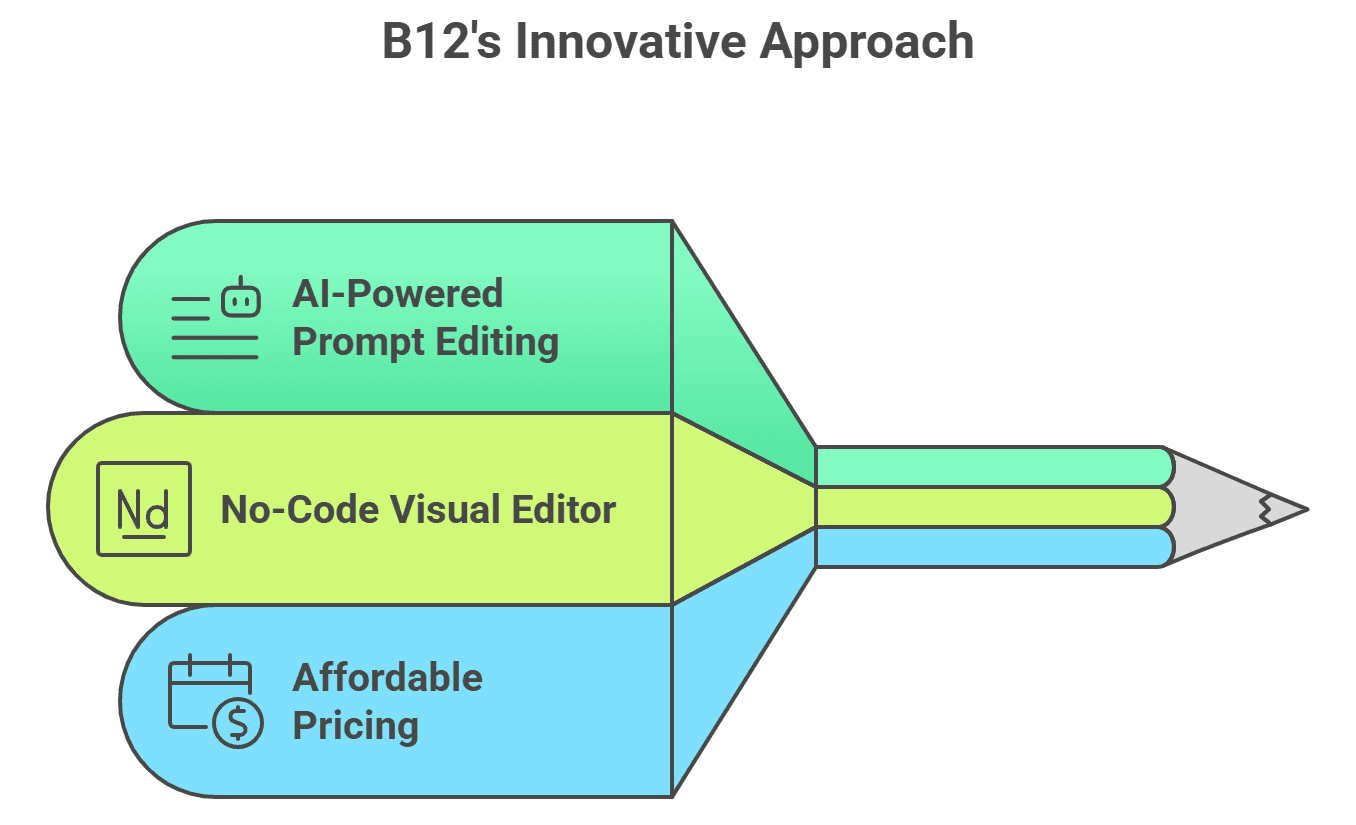
This dual approach supports both beginners who need guidance and experienced creators who want control. When you first visit B12.io, you’ll see a promotional offer—$11 per month for the first three months—making it easy to get started affordably. There is also a free plan that allows users to test core features, try the AI generator, and customize layouts before upgrading.
Website Creation Process
1. How to Build a Website With B12 AI?
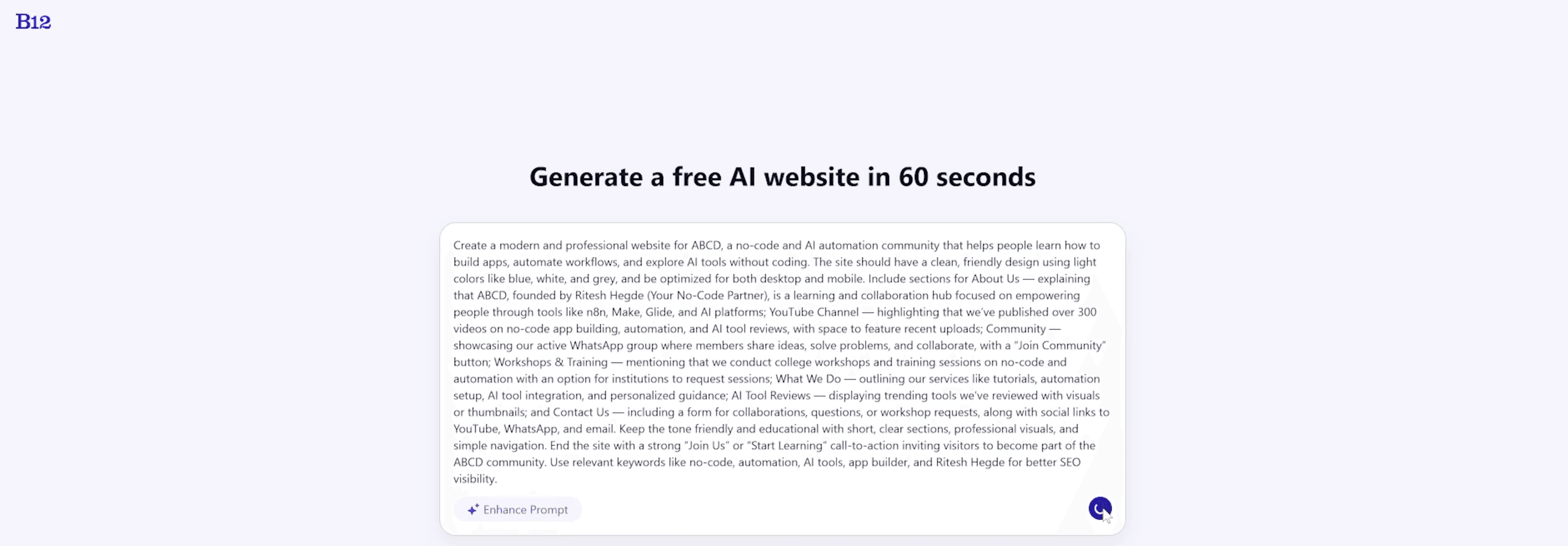
To generate your website, B12 asks for a simple prompt describing your business, services, and goals. For example, a user might request a clean, modern website for a no-code and AI automation community. Within minutes, B12 produces a structured site draft that aligns with the description. This ability to convert ideas into full layouts makes B12 one of the fastest AI website creation tools available.
Once your draft is ready, you can edit it manually or enhance it using AI prompts. You can adjust layouts. You can change typography. You can update visuals. You can rewrite sections. You can regenerate parts individually. Because B12 doesn’t limit your ability to modify the AI-generated results, users can produce websites that feel both personalized and professionally structured.
2. How to Edit a Website Using B12?
B12’s editing system is built to offer maximum flexibility for users of all skill levels, allowing you to update and customize your website without technical knowledge. You can choose between AI-powered prompts for quick changes or manual no-code controls for more precise adjustments, depending on your workflow and preferences.
Use AI Prompts: With AI prompts, you can instantly regenerate hero banners, rewrite headlines, adjust page layouts, or refresh contact forms without manually editing each element. This option is ideal for making fast improvements, experimenting with different versions, and keeping your website content fresh with minimal effort.
Use Manual Editing Tools: Adjust text, images, buttons, spacing, backgrounds, and alignment freely. This hybrid system ensures that you’re never stuck. Whether you need quick edits for frequently updated pages or want pixel-perfect control, B12 makes the process smooth. Businesses that regularly publish articles, update service offerings, or refresh marketing messages benefit greatly from this flexible setup.
Design & Customization
1. How to Customize Website Design in B12?
B12 offers a full suite of customization options that allow you to build a professional website fully aligned with your brand identity and online presence. Using its AI website builder and no-code editing tools, users can visually control every aspect of their web design without relying on developers or complex software. These features help improve user experience, brand consistency, and overall website creation quality.
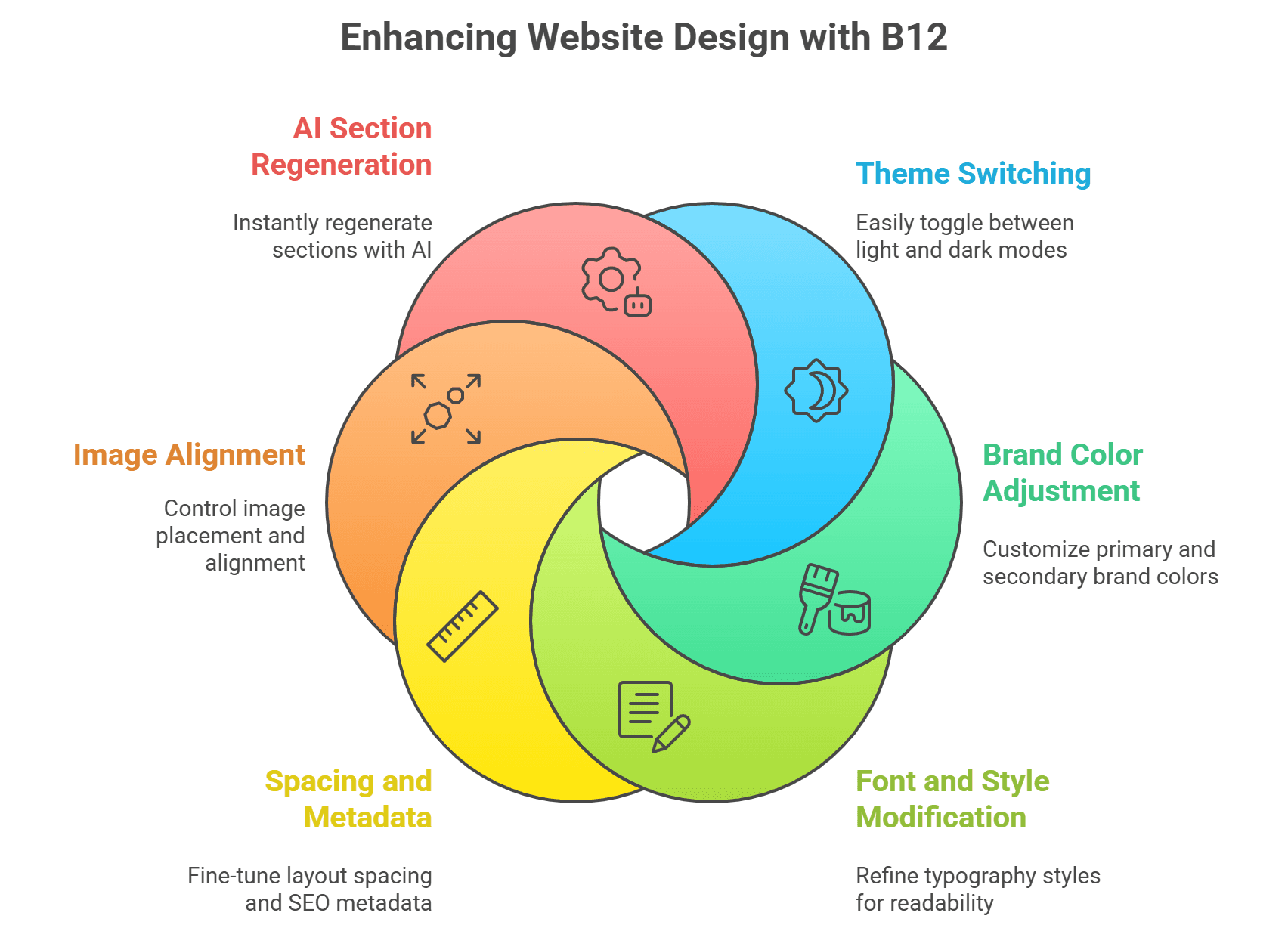
Users can customize their website by:
Switching between light and dark themes:
Easily toggle between light and dark modes to match your brand aesthetic or improve visual comfort for visitors, helping create a modern and engaging user experience across all web pages.Adjusting brand colors:
Customize primary and secondary brand colors to maintain visual consistency, strengthen brand recognition, and ensure your professional website aligns with your existing marketing materials.Modifying fonts and styles:
Choose and refine typography styles to enhance readability, reinforce branding, and present content clearly, which is especially important for blog posts and professional service websites.Customizing spacing, overlays, and metadata:
Fine-tune layout spacing, background overlays, and SEO-related metadata to improve content structure, visual balance, and search engine optimization performance.Editing image alignment and backgrounds:
Control image placement, alignment, and background settings to create clean layouts that highlight key content and improve overall web design presentation.Regenerating sections with AI:
Use AI-powered tools to regenerate individual sections instantly, allowing fast design experimentation, content optimization, and layout improvements without rebuilding your entire website.
Advanced Dashboard
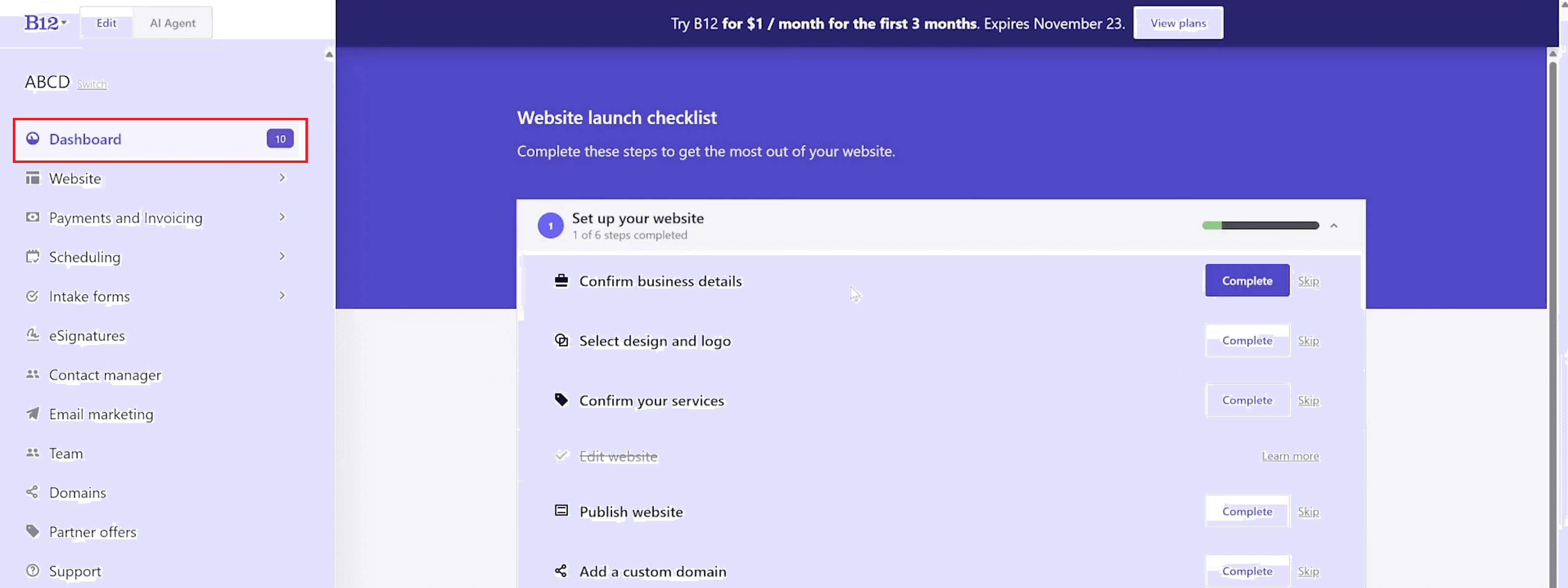
B12 functions as a complete business platform—not just a website builder. The dashboard allows users to manage website content, scheduling, invoices, client data, and branding elements.
The media library makes uploading images and logos easy, while flexibility in design themes helps you match your website with your brand identity. Integrations with scheduling tools boost productivity. They automate bookings. They keep calendars synced across platforms.
Also Read: Trupeer AI: Turn Raw Screen Recordings into Pro Videos
B12 Interface Walkthrough
1. Dashboard & Website Launch Checklist
The dashboard centralizes website controls, business settings, and key actions. The launch checklist ensures users follow a structured flow, from setting up services to preparing the site for publication. This prevents beginners from feeling overwhelmed and helps them complete important steps efficiently.
How to use it:
Log in to your B12 account and open the dashboard.
Review the website launch checklist displayed on the main screen.
Follow each checklist item step by step, including setting up services, pages, and business details.
Use the checklist to track progress and ensure all essential steps are completed before publishing.
2. Header & Branding Editor
Here you can upload your logo, customize navigation menus, and shape the top of your website. Spacing, alignment, font selection, and structure can be modified easily. B12 ensures your branding remains strong and consistent across all pages.
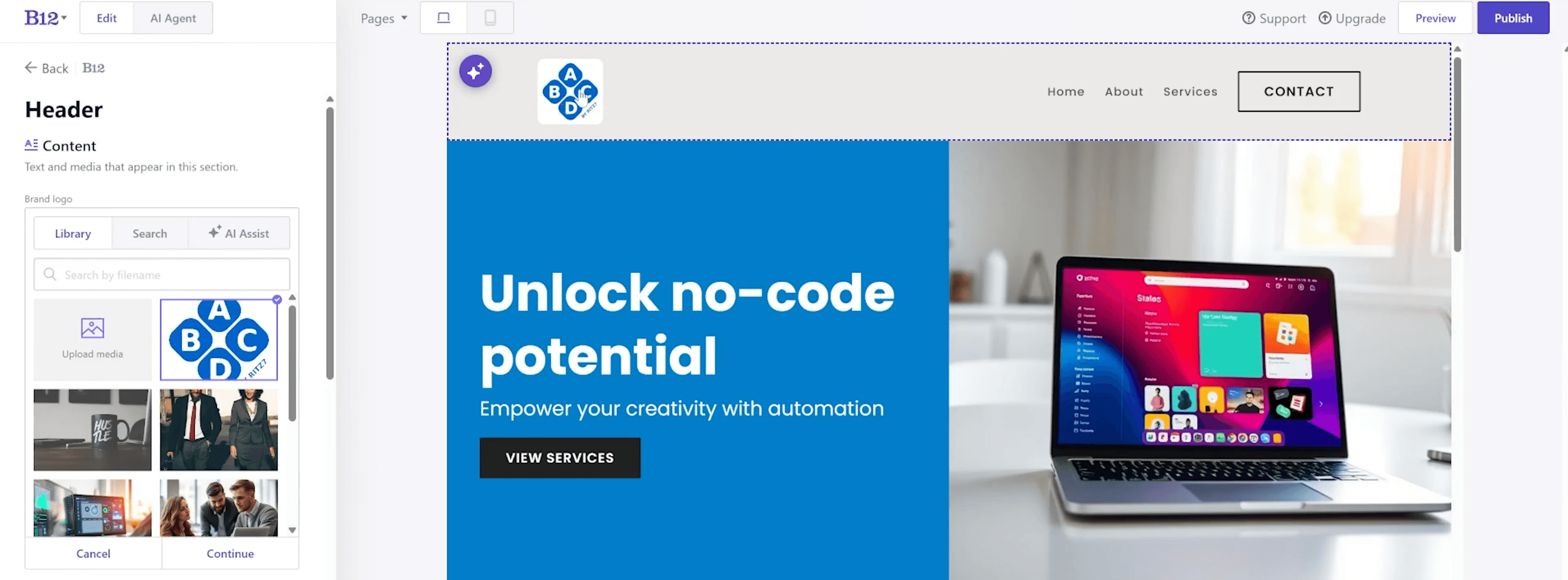
How to use it:
Open the header or branding editor from the dashboard.
Upload your business logo.
Customize navigation menu items and their order.
Adjust spacing, alignment, font selection, and layout structure.
Save changes to apply consistent branding across all pages.
3. Hero Section & Home Page Editor
The home section editor allows you to change headings, subheadings, background imagery, and call-to-action buttons. Live preview ensures every adjustment is visible instantly. For quick inspiration, AI Assist can regenerate text or layout suggestions.
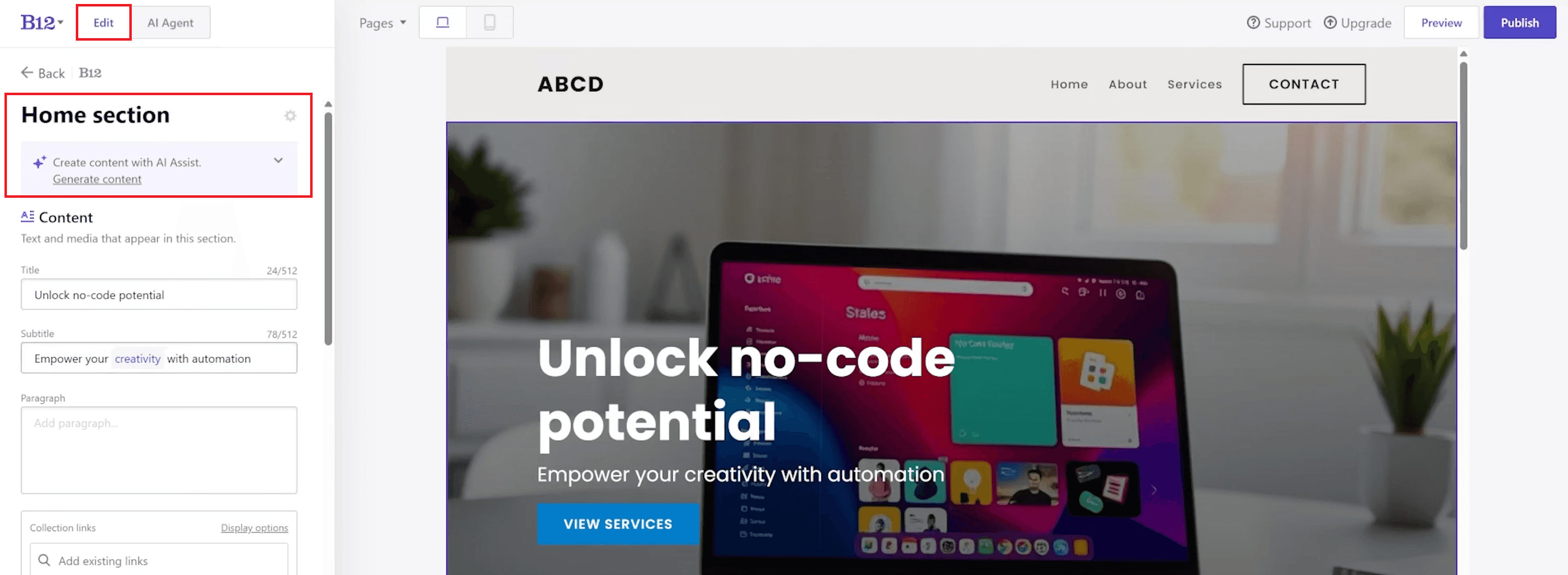
How to use it:
Navigate to the homepage editor.
Edit headings and subheadings to reflect your main message.
Change background images or colors as needed.
Update call-to-action buttons, including text and links.
Use the live preview to see changes instantly.
Optionally use AI Assist to regenerate text or layout suggestions.
4. Intake Form Builder
The intake form builder helps service businesses collect structured information from clients. You can add custom fields, rename sections, and integrate form submissions into your client database. This removes the need for third-party form tools.
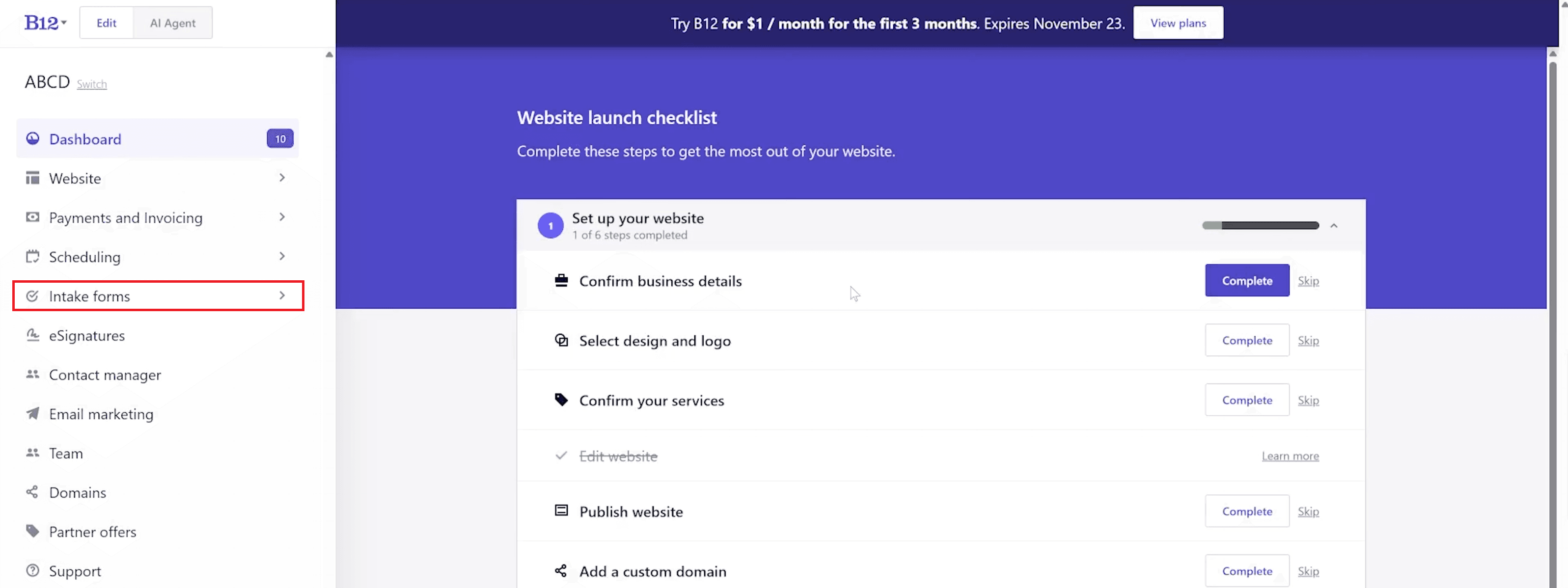
How to use it:
Open the intake form builder from the dashboard.
Add, remove, or customize form fields based on client information needs.
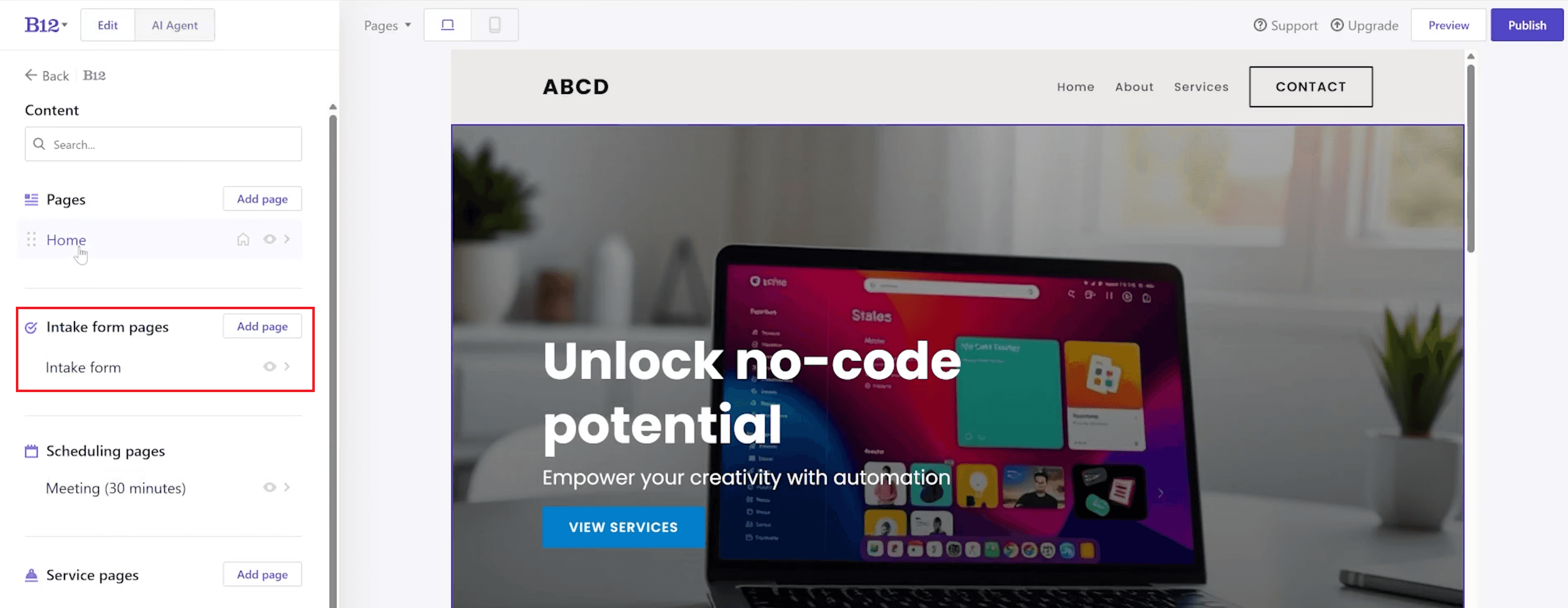
Rename sections and field labels for clarity.
Configure how form submissions are stored or routed.
Save and publish the form on your website.
5. Services Page & Service List Management
This editor allows you to visually display and customize your services. You can add descriptions, reorder items, attach scheduling buttons, or link to forms. The layout helps potential clients quickly understand your offerings.
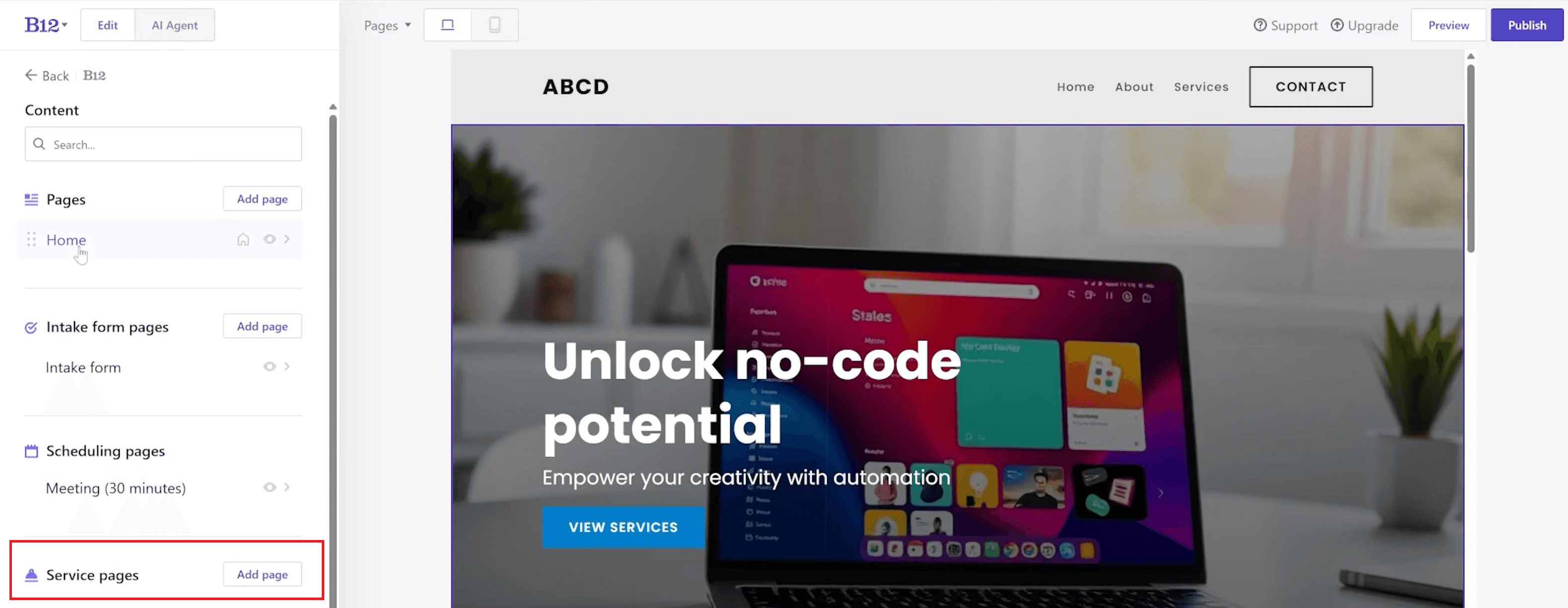
How to use it:
Open the services page editor.
Add new services or edit existing ones.
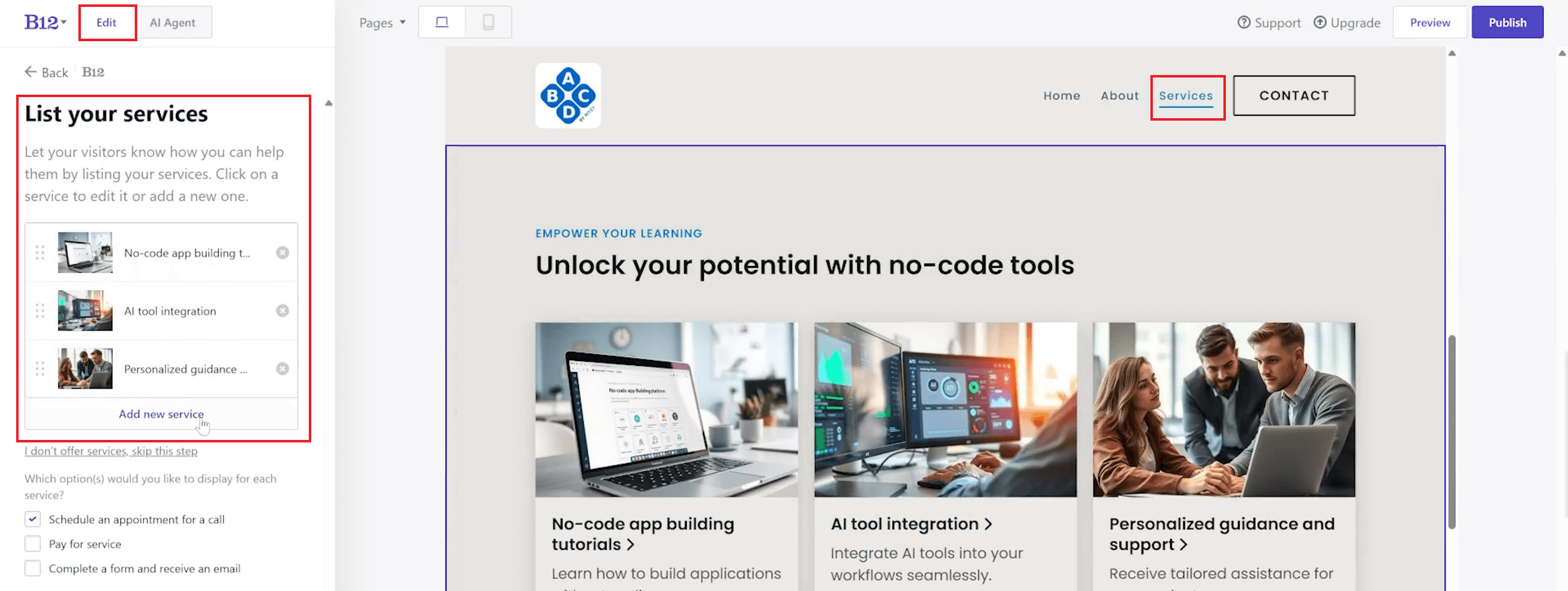
Write or update service descriptions.
Reorder services to control display priority.
Attach scheduling buttons or link services to intake forms.
6. Button Styling & Design Customization
B12 makes it easy to adjust button styles such as color, shape, border radius, width, and typography. These visual refinements enhance call-to-action clarity and help guide user navigation across the site.
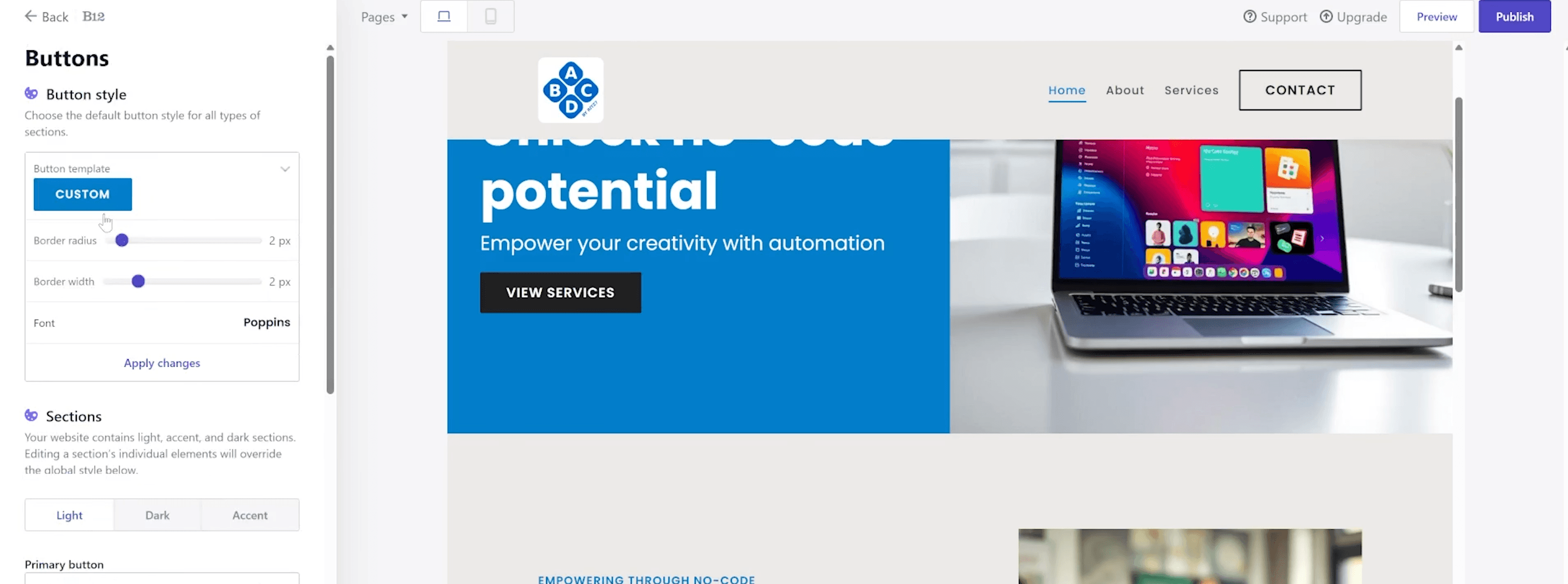
How to use it:
Select any button or call-to-action element on the site.
Customize color, shape, border radius, width, and typography.
Update button text and destination links.
Preview changes to ensure clarity and visibility.
7. Contact Section Editor
Users can configure contact forms, update descriptive text, and display business information like hours or phone numbers. This section is critical for businesses focused on inquiries, appointments, or service requests.
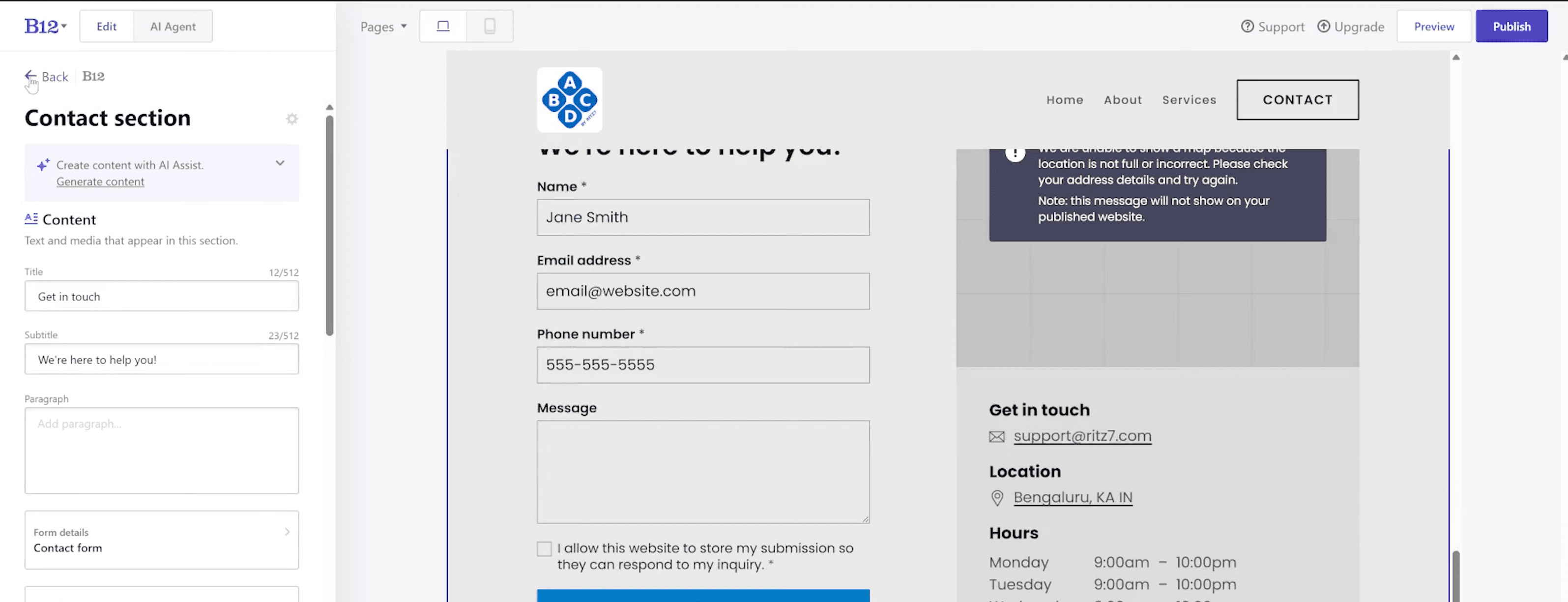
How to use it:
Open the contact section editor.
Customize contact form fields.
Update business information such as phone number, email, and operating hours.
Review layout and text for clarity and accessibility.
Save changes.
8. Scheduling & Availability Settings
The built-in scheduling interface enables you to control appointment availability, block off times, and sync with external calendars. This eliminates the need for separate scheduling apps and improves the client experience.
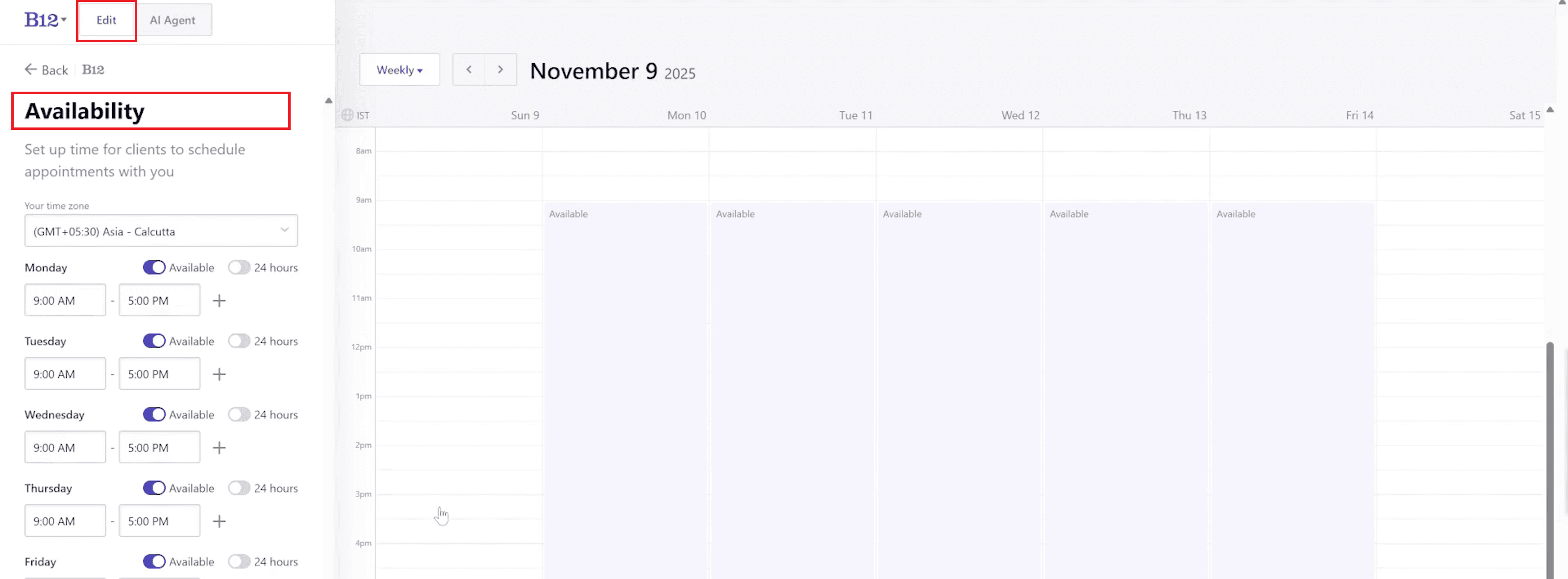
How to use it:
Open scheduling settings from the dashboard.
Define available days and time slots.
Block off unavailable dates or hours.
Sync external calendars if needed.
Enable booking on your website.
9. AI Editor & Content Generation Panel
The AI Agent writes or rewrites content, generates alternative versions, and updates page structure using simple text instructions. It saves time and maintains consistent messaging across your website.
How to use it:
Open the AI editor from any page or section.
Enter a text prompt describing the content you want to generate or revise.
Review AI-generated content or layout suggestions.
Regenerate or refine results as needed.
Apply approved changes to your website.
10. AI Website Draft Generator
By entering basic business details, you can generate a complete website in under a minute. The AI creates page structures, layouts, and text that you can customize further.
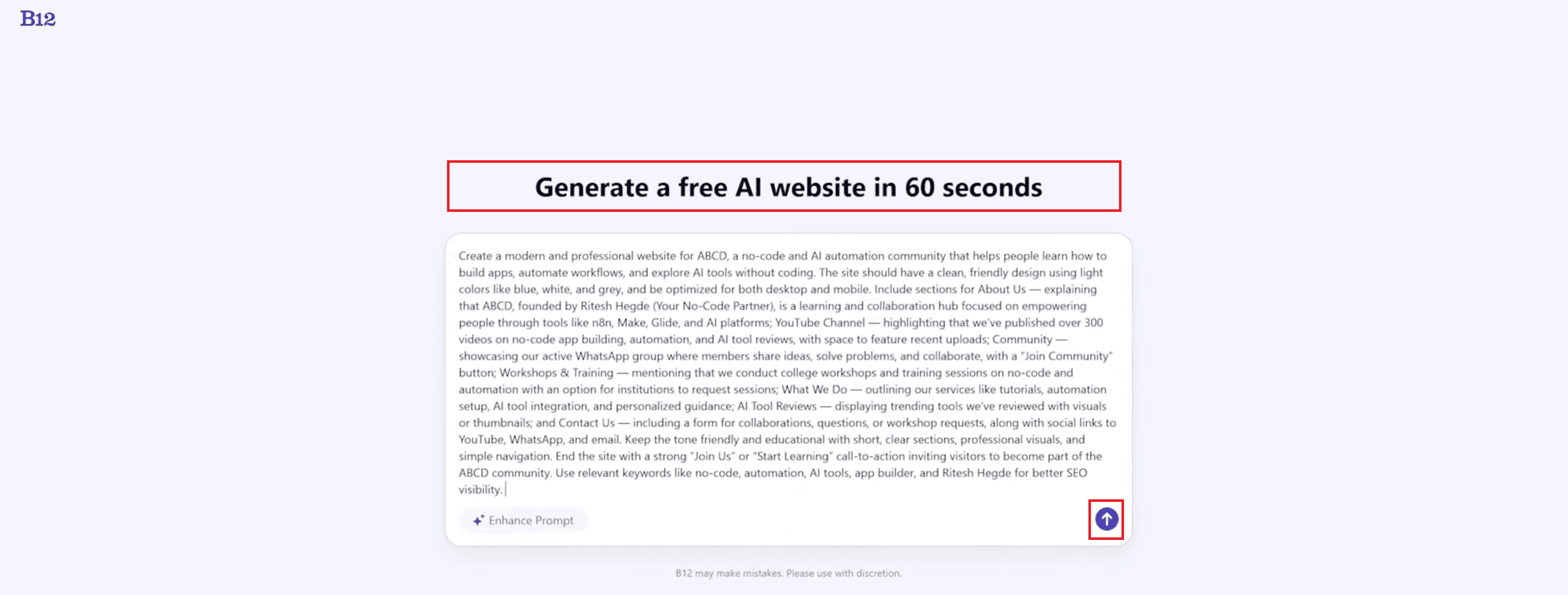
How to use it:
Open the AI website generator.
Enter basic business details and goals.
Generate a complete website draft in under a minute.
Review page structure, layouts, and content.
Edit or regenerate individual sections as needed.
11. Template Selection & Industry Categories
B12 offers industry-specific templates for consulting, coaching, wellness, portfolios, and more. Users can preview templates and apply the Remix feature for AI-powered variations.
How to use it:
Open the template gallery.
Browse templates by industry such as consulting, coaching, wellness, or portfolios.
Preview template layouts and designs.
Select a template or use the Remix feature for AI-powered variations.
Apply the template and customize it further.
Automation & Business Tools
1. How to Use Scheduling and Invoicing?
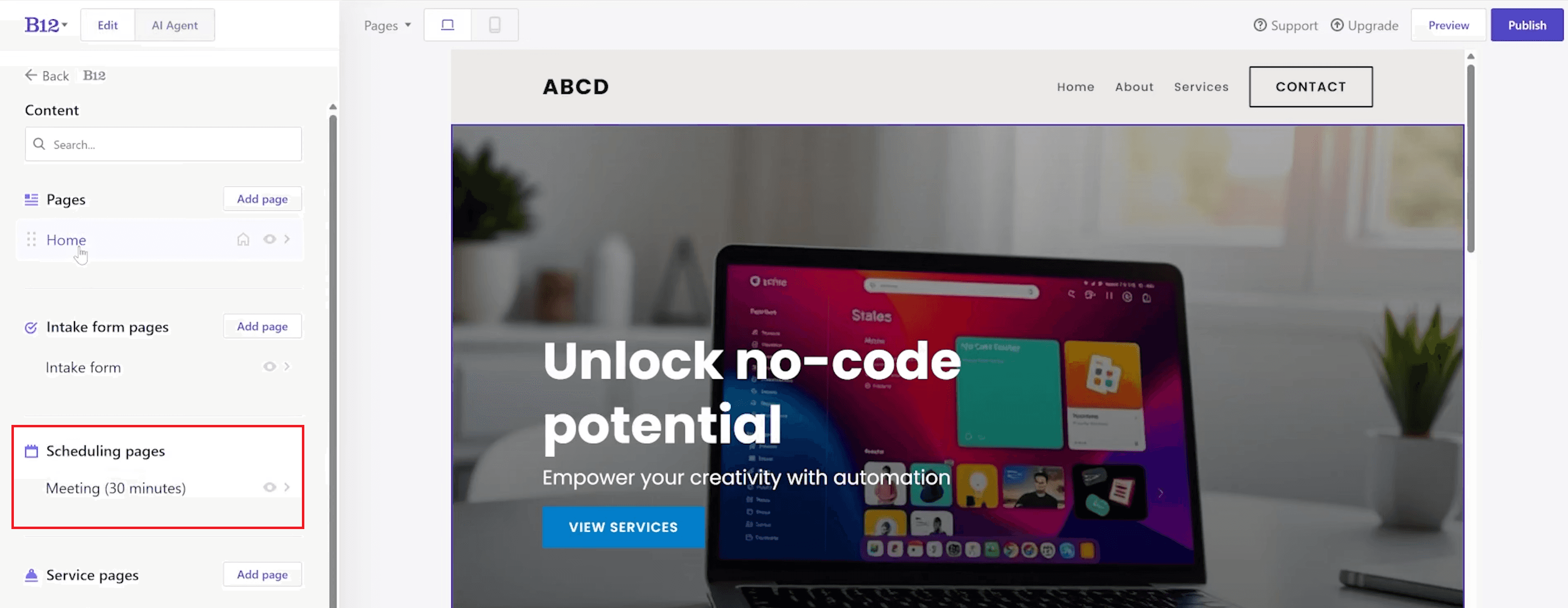
B12’s built-in scheduling tool syncs with Google, Outlook, and iCloud, allowing clients to book appointments directly on your site. This creates a seamless workflow without relying on external tools. The invoicing system lets you create, send, and track payments—all within the same platform. For consultants, coaches, and service providers, these features make running a business more efficient.
2. How to Manage Clients Using Business Tools?
B12 has built-in business tools. These tools improve client management. They make daily work easier. They help communication for service providers and small teams.
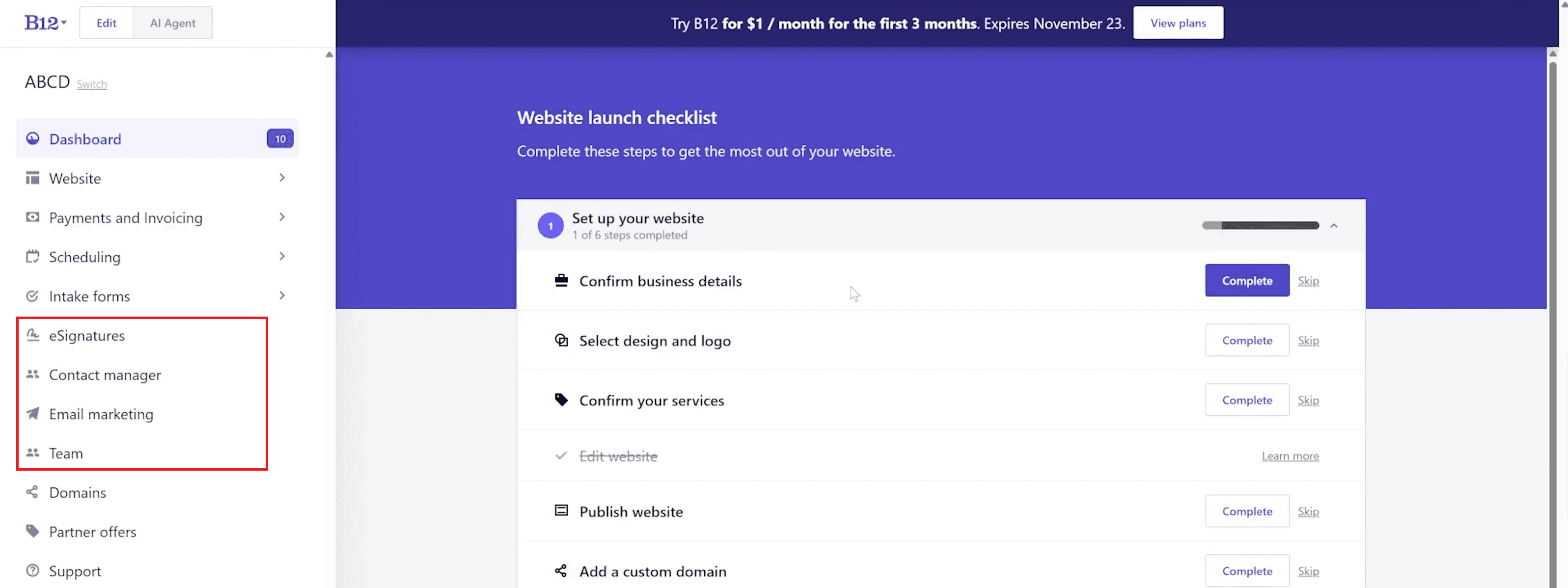
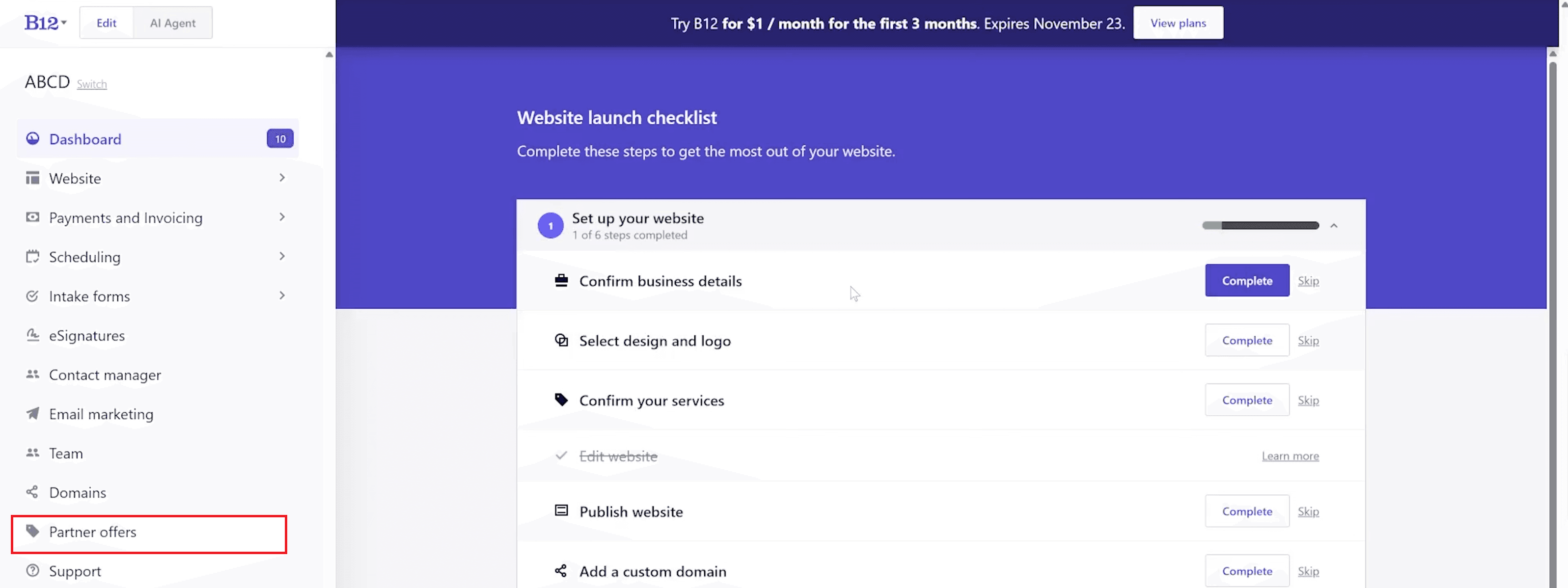
eSignatures: Collect legally binding signatures quickly and securely, helping speed up approvals, reduce paperwork, and simplify client onboarding processes.
Team Management: Collaborate across a unified workspace with shared access tools, allowing team members to manage content, clients, and tasks while maintaining control and consistency.
Email Marketing: Reach out to clients using automated email campaigns, making it easier to share updates, nurture relationships, and maintain regular communication.
Contact Manager: Track client communication, follow-ups, and interaction history centrally, ensuring organized client relationships and more effective customer support.
Integration
How to Use B12 Integrations and Partner Tools?
B12 offers exclusive partner perks that help entrepreneurs and startups reduce costs while accessing powerful business tools needed to scale operations efficiently.
Airtable: Receive $1,000 in credits to build databases, automate workflows, and manage structured business data more effectively.
HubSpot: Get up to 90% off startup plans, making it easier to use professional CRM, marketing, and sales tools at a lower cost.
Bubble: Access $500 in platform credits to experiment with no-code app development and extend functionality beyond standard websites.
Zoom: Enjoy a 20% subscription discount, supporting cost-effective video meetings, consultations, and remote client communication.
(Source: Partner Offers Page)
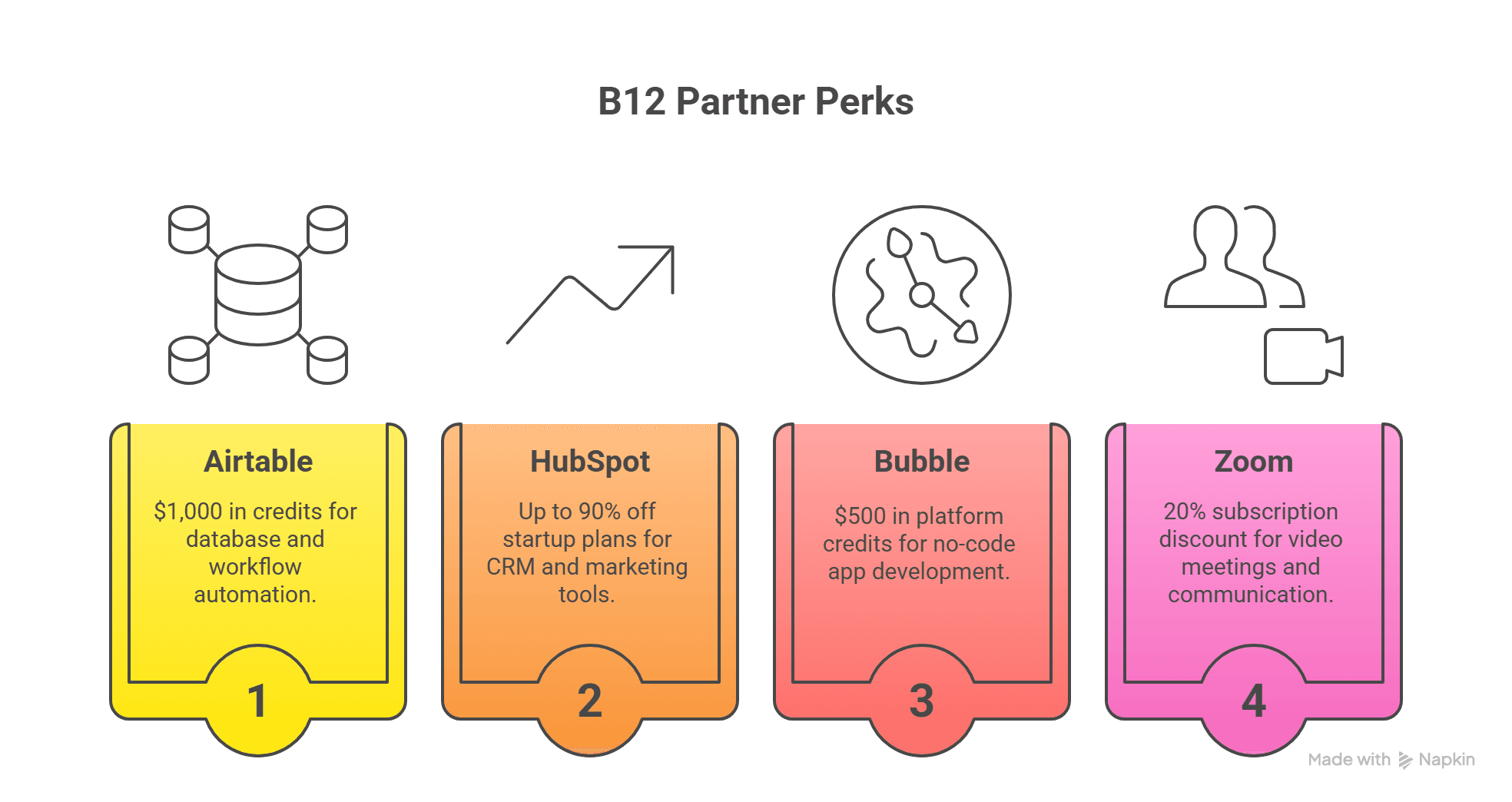
These integrations expand B12’s capabilities beyond website creation and help users build a complete digital business system using trusted, industry-leading platforms.
Pricing
1. Pricing Plans: Free vs Paid
Starter Plan (Free) — Best for Testing
B12 offers a Starter plan that is free and allows you to build and publish a website with basic tools. This plan includes a mobile-responsive website, access to the AI website builder, basic online scheduling, and essential payment features. It’s ideal for users who want to explore the platform, test core functions, and start building an online presence without any upfront cost.
(Source: B12 Pricing Page)
Basic Plan — Best for Professional Websites
The Basic plan is the first paid tier on B12’s official pricing page.
Price: $49 per month when billed monthly
Annual Discount: $42 per month when billed annually
Promotional Offer: Limited-time pricing of $1 per month for the first 3 months (as shown on the pricing page)
Key Features Included:
• Custom domain support
• Analytics and traffic insights
• AI-powered website creation and editing tools
• Integrations with scheduling and business tools
• Professional website features
This plan is designed for users who want a fully functional site with essential business tools, and it remains competitive compared to other AI website builders that often charge additional fees for similar features.
(Source: B12 Pricing Page)
Professional & Advanced Plans — Best for Growing Businesses
B12 also lists higher-tier plans that scale up in capability:
Professional Plan:
• $199 per month (monthly billing)
• $169 per month (annual billing)
Includes additional tools for attracting, winning, and serving clients more effectively.Advanced Plan:
• $399 per month (monthly billing)
• $339 per month (annual billing)
Designed for teams or businesses that require collaboration features, multi-user access, and priority support.
These plans add expanded business management tools beyond the core website and basic automation features.
(Source: B12 Pricing Page)
2. Pricing Summary — Quick Comparison
Plan Type | Monthly Price | Annual Price Equivalent | Key Features Included |
|---|---|---|---|
Starter (Free) | Free | Free | Basic scheduling, payments, AI builder access |
Basic | $49 | $42 (annual) | Custom domain, analytics, integrations |
Professional | $199 | $169 (annual) | Client engagement and business tools |
Advanced | $399 | $339 (annual) | Team collaboration & advanced features |
3. Overall Pricing Assessment
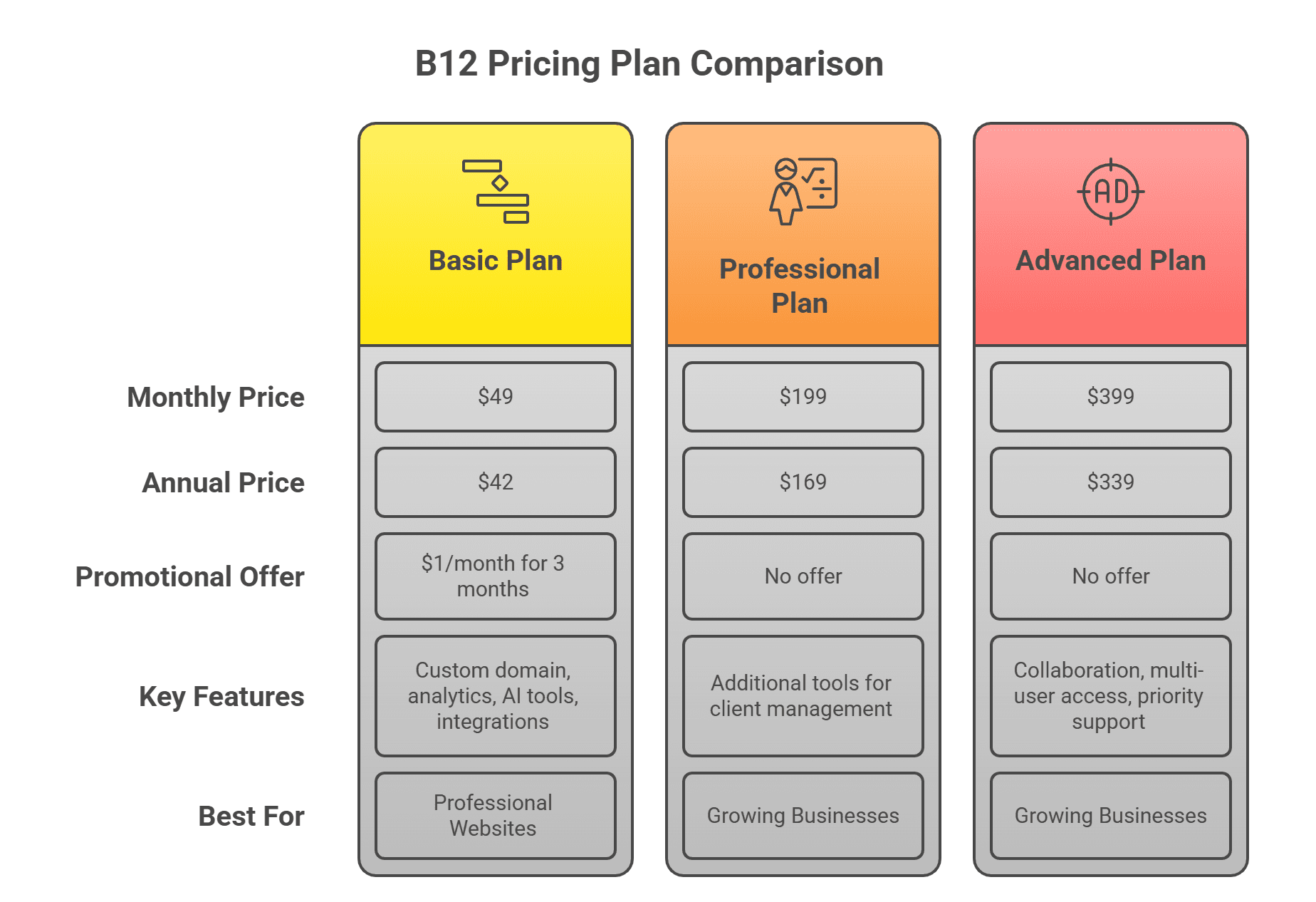
B12’s pricing structure is straightforward and competitive within the AI website builder category. The Basic plan includes many features that other platforms charge extra for (such as scheduling, analytics, and integration options). While the free plan gives beginners a no-risk way to explore the platform, the paid tiers unlock the full set of tools needed for a professional, client-ready website plus business automation. The promotional offer reduces the initial cost and makes it easier for users to try premium features.
Pre-Built Templates and Remix Option
How Do B12 Templates and the Remix Feature Work?
B12 offers a library of professionally designed templates tailored for different industries, including consulting, coaching, portfolios, and service-based businesses. These templates provide ready-made layouts, page structures, and design styles that help users start building a website quickly without designing from scratch.
The Remix feature enhances these templates by using AI to generate customized variations instantly. When a user selects a template, Remix can adjust layouts, content structure, and visual elements based on the user’s business details and preferences. This allows beginners to create professional-looking websites faster while still retaining full control to edit and refine the design afterward.
Verdict & Recommendations
1. Is B12 Worth Using for Your Website and Business?
Yes — B12 offers strong value for freelancers, coaches, consultants, and small teams who want website creation and business tools in one place. The combination of AI automation, a no-code editor, scheduling, invoicing, and CRM-like tools makes B12 far more capable than many other AI website builders.
Pros | Cons |
|---|---|
Full control through no-code editing | Templates are moderately designed |
AI-powered website generation | The free plan is limited |
Built-in scheduling and invoicing | Price increases after the trial period |
Strong partner discounts | |
Beginner-friendly interface |
2. Why Choose B12 AI Website Builder?
If you’re looking for an AI website builder that balances simplicity with creative control, B12 is a strong option. It combines intuitive website creation with essential business tools like scheduling, invoicing, and client management. This all-in-one approach reduces the need for multiple third-party platforms, helping users manage their online presence more efficiently while maintaining flexibility in design and content.
3. Who Should Choose B12?
B12 is especially well-suited for professionals and teams who want a functional, easy-to-manage website with built-in business features.
Perfect for:
Freelancers & consultants: Build a professional website with booking and invoicing tools to support client work.
Small business owners: Manage website creation, scheduling, and payments from a single platform.
Entrepreneurs: Launch quickly using AI assistance without losing control over branding and layout.
Content creators: Maintain and update websites easily without technical complexity.
Teams needing collaboration: Work together using shared access, client management, and centralized tools.
Onboarding
How Do You Get Started with B12 Step-by-Step?
Getting started with B12 is designed to be simple and beginner-friendly, even for users who have never built a website before. The platform guides you through each step of website creation using a mix of AI assistance and no-code tools, helping you move from signup to a live, professional website with minimal effort.
Sign up at B12.io:
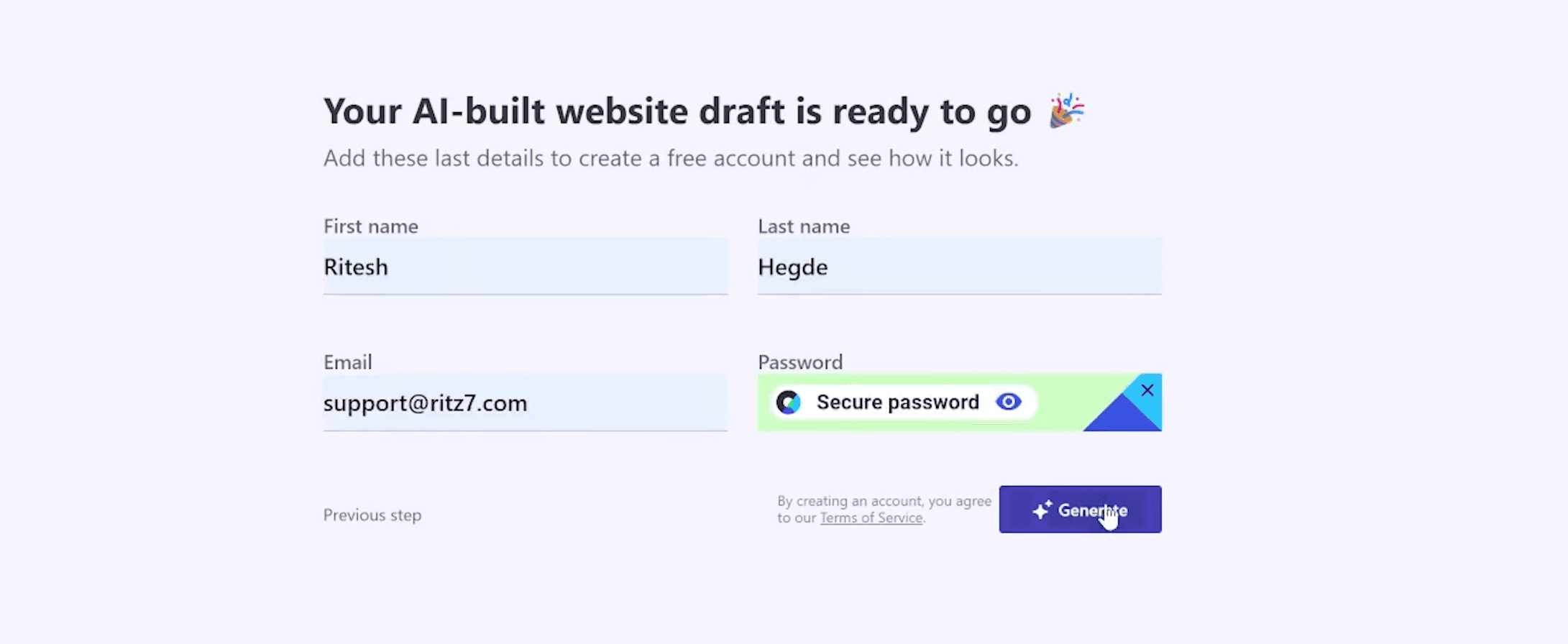
Create a free account on B12.io to access the AI website builder, explore the dashboard, and test core features before deciding whether to upgrade to a paid plan.Enter your business details:
Describe your business type, services, and goals so the AI website generator can create a personalized website draft that aligns with your industry and target audience.Review the AI-generated draft:
Examine the automatically generated layout, page structure, and content to ensure it reflects your brand, messaging, and overall website objectives.Customize branding, content, and images:
Use the no-code editor or AI prompts to refine text, update visuals, adjust colors, change fonts, and tailor the design to match your brand identity.Set up scheduling and invoicing:
Enable built-in scheduling and invoicing tools to allow clients to book appointments, make payments, and interact with your business directly through your website.Publish and start accepting bookings:
Once everything is finalized, publish your website and begin accepting client inquiries or bookings, turning your site into an active part of your business workflow.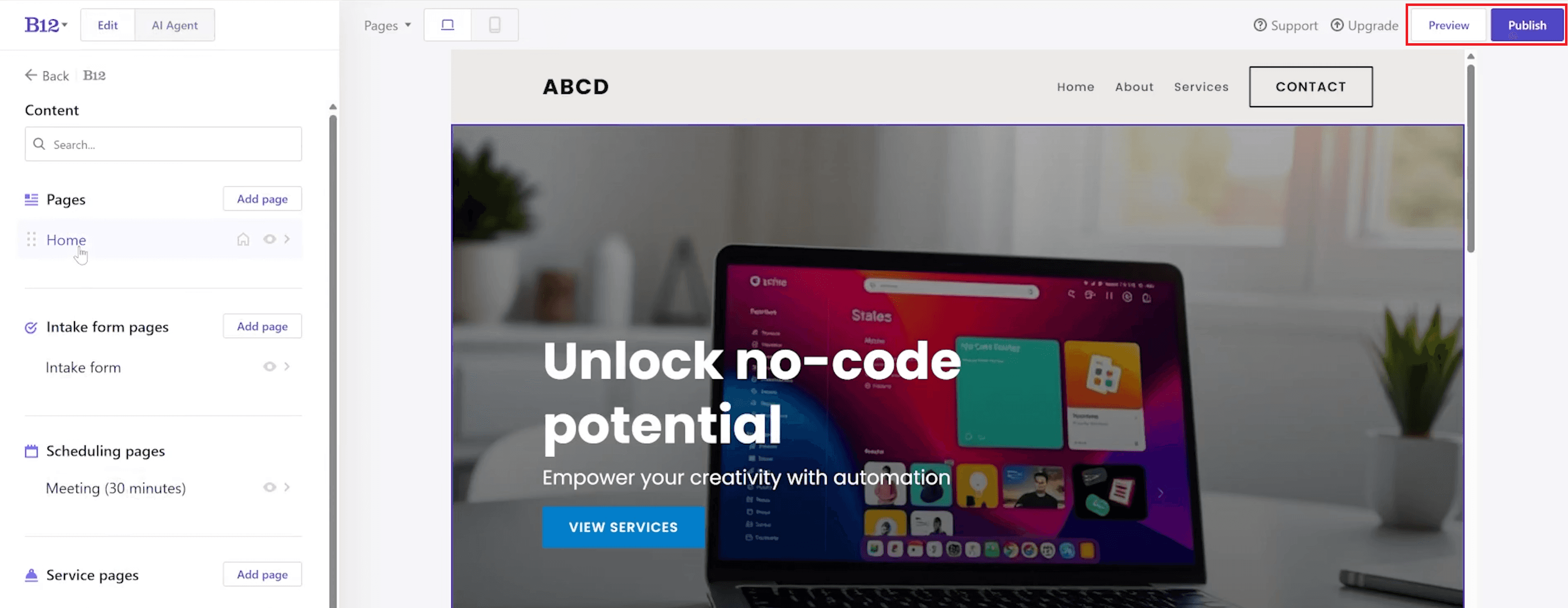
Also Read: Music Creator AI Review: All-in-One AI Music Generation Tool
Frequently Asked Questions About B12
1. Is B12 good for beginners?
Yes, B12 is extremely beginner-friendly. The AI website builder handles most of the initial setup, including layout and content creation, while the no-code editor makes customization intuitive. Even users with no technical or design experience can create, edit, and publish a professional website with confidence.
2. Can B12 be used for e-commerce?
B12 is not designed as a full eCommerce platform for managing large product catalogs or complex shopping carts. However, it works very well for service-based businesses that sell time-based services, consultations, or appointments using built-in scheduling and invoicing tools.
3. What happens if I cancel my B12 subscription?
If you cancel your paid plan, your website will remain active on the free Starter plan. While you will lose access to premium features such as custom domains and advanced tools, your content, pages, and basic site functionality will remain intact.
4. Can I migrate from another website builder to B12?
Yes, you can migrate from another website builder to B12, but the process is manual. You will need to recreate your site structure and content inside B12. However, the AI website generator can help speed up this process by generating a new draft based on your business details.