Movie Flow AI: Create 2-Minute Cinematic Videos For Free
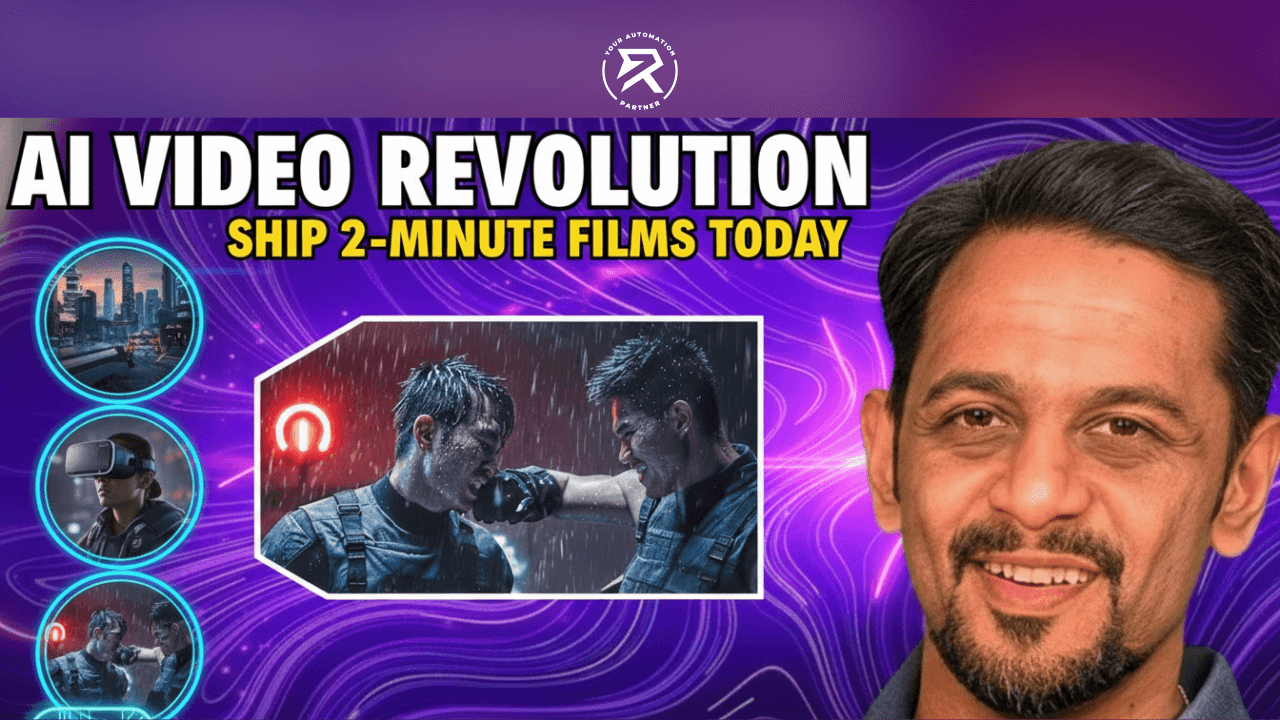
Stop making excuses about "not being a director". With Movie Flow AI, you can create full-length, cinematic videos for free just by typing. Here is how to turn your ideas into movies before your next coffee break.
5 Secrets to Cinematic AI Video
Be the Director, Not the Editor: Discover how the "Auto" Duration setting scripts, storyboards, and stitches 2-minute movies for you automatically.
Lock Your Vision with "Anchors": Learn how to use specific details—like a "yellow raincoat"—to keep your characters looking the same in every single scene.
Stop Being Camera-Shy: Use the AI Avatar Generator to "teleport" a photo of yourself onto a professional stage or a travel reel instantly.
Fix Glitches Like a Pro: See how the Scene Builder Tool lets you fix one "wonky" shot without deleting your whole project.
Sync the Beat Automatically: Find out how to lock your visuals to music so your videos feel like high-end commercials that people won't scroll past.
Look, I don’t care about your "creative block" or your lack of a $10,000 camera. In 2026, if you aren't producing high-quality AI videos, you don’t have a business—you have a hobby that's slowly dying.
The world has moved on. While you’re sitting there "planning" your first video, your competitors are using Movie Flow AI to pump out 2-minute cinematic ads for the price of a cup of coffee: zero. Stop making excuses. Here is your wake-up call, followed by the exact roadmap you need to stop being invisible and start being a player.
Table of Contents:
The Death of the Camera: Why you don't need a $10,000 rig anymore.
What is Movie Flow AI? Meet your new digital production crew.
The "Auto" Duration Hack: How to make 2-minute movies in one click.
Mastering Anchor Prompts: Keeping your characters consistent.
The SceneBuilder Fix: How to repair "glitches" without starting over.
The Pro Creator Roadmap: Your 3-step plan to ship today.
How Do I Create a 2-Minute AI Video For Free?
To create a 2-minute AI video for free, visit movieflow.ai, enter a descriptive story prompt, and select the "Auto" duration setting. Unlike traditional generators that limit you to 10-second clips, Movie Flow AI uses a parallel workflow to script, storyboard, generate, and stitch dozens of scenes into one single cinematic file—all without manual editing.
Video Tutorial:
The Reality Check: Why You Are Failing At Video
Most people fail because they try to be Spielberg. They spend weeks trying to stitch together 5-second AI clips that look like a glitchy mess.
MovieFlow AI wins because it doesn't just "make a clip"; it acts as a digital director. It builds a script, a storyboard, and an asset generation pipeline simultaneously. It is a production crew in a box that doesn't take lunch breaks or complain about the budget.
Example: Prompting For Success
❌ Bad/Weak Prompt: "A businessman in a city." (Result: Generic, boring, and inconsistent).
✅ Good/Strong Prompt: "A CEO in a charcoal grey suit, wearing a silver Rolex, walking through a high-tech glass office at sunset. Cinematic 8k lighting, shallow depth of field."
Also Read: B12 AI Website Builder Review: Build Website in One Click
Core Features That Actually Make Money
Don't get distracted by the bells and whistles. Here is what you will actually use to grow your brand:
Cinematic Narratives: Use this for brand storytelling. People don’t buy products; they buy stories told through professional cinematic language.
AI Avatar Generator: Stop being camera-shy. Upload one photo and let the AI "teleport" you into a professional travel reel or a keynote stage.
The Inspiration Lab: Stop staring at a blank screen. Use community templates. Steal like an artist, then iterate.
Music-to-Video Sync: If your video doesn't have a beat, people scroll past it. This tool locks your visuals to audio transients automatically using a real-time rendering engine.
The Pro Creator Roadmap: Create Your Video Now
Stop "thinking" and follow these steps to master the content-creation process. Most creators get stuck in "analysis paralysis", waiting for the perfect idea while their competitors are already publishing. To win, you need to stop overcomplicating the tech and start viewing AI as your assembly line, not just a toy. Mastering this process means moving from a random one.
Step 1: The "Auto" Duration Hack
Navigate to movieflow.ai and ignore the temptation to create small, choppy clips. Most amateurs waste hours generating 8-second snippets and trying to glue them together in a separate editor. That is a loser's game. Instead, set your duration to "Auto".
This setting is the secret sauce. It signals the AI to stop acting like a basic GIF generator and start acting like a professional digital director. When you select "Auto", the AI analyses your entire script to understand the "arc" of the story. It automatically calculates how much time is needed for the buildup, the climax, and the resolution. It fills in the narrative gaps—adding transitional shots and establishing scenes—to deliver a full, cohesive 2-minute narrative that feels like a real movie, not a slideshow.
Example:
❌ Bad/Weak Approach: Setting a manual 10-second limit and hoping the AI can cram a whole story into it. (Result: A rushed, confusing mess).
✅ Good/Strong Approach: Selecting "Auto" and letting the AI's parallel workflow decide the pacing based on your 3-page script. (Result: A cinematic 120-second experience with a natural flow).
Step 2: Use "Anchor" Prompting
The AI is a mirror of your own intelligence. If you give it a vague, lazy prompt, it will give you a vague, lazy video. To get professional results, you must use "anchor" prompting. This means identifying the specific "anchors"—fixed visual details—that the AI must keep consistent across every single shot.
By defining specific textures, colours, and objects, you give the artificial intelligence a visual compass. This prevents the "morphing" effect where characters change clothes or hair colour between scenes. You aren't just "asking" for a video; you are providing a detailed blueprint for the asset generation pipeline to follow.
Example: Anchoring Your Vision
❌ Bad/Weak Prompting: "The woman walks to the car." (The AI will guess the woman's age, the car's make, and the street's style, leading to total inconsistency).
✅ Good/Strong Prompting: "The woman with a neon-blue bob and a yellow raincoat walks toward a rusted 1967 Mustang in a rain-slicked neon alley." (This locks the hair, the coat, and the specific car model into the AI's memory).
Step 3: SceneBuilder Intervention
If Scene 5 looks weird—maybe the character has an extra limb or the lighting shifts—don't scrap the whole project. That is what losers do. They give up at the first sign of a glitch. Successful creators use the SceneBuilder tool to perform surgical edits on the fly.
This tool allows you to isolate a specific segment of your 2-minute video and "re-roll" just that shot without losing the other 29 perfect scenes. You can adjust the prompt for that specific block or swap the entire visual while keeping the audio and timing synced. Remember: perfection is a myth that keeps you from publishing. In the business of content, "good enough to ship" beats "perfect and unreleased" every single time.
Example:
❌ Bad/Weak Fix: Deleting the entire project and starting over because one character's hand looked "wonky" in the middle of the film.
✅ Good/Strong Fix: Using SceneBuilder to highlight the 4-second "wonky" clip, slightly lowering the motion intensity, and hitting "Regenerate" to fix the error in seconds.
Your Goal | The Pro-Action | The Magic Result |
Full-Length Ads | Set Duration to "Auto" | A cohesive 120-second movie, not just a 5-second clip. |
Character Consistency | Use Inspiration Lab | Your characters keep the same face and clothes every time. |
Fix "Fever Dreams" | Lower Motion Intensity | Smooth, realistic movements that look professional. |
Human Feeling | Use Voice Cloning | Your video gets a natural voice-over instead of a robot voice. |
Also Read: Music Creator AI Review: All-in-One AI Music Generation Tool
How To Fix Glitches Like A Pro
Yes, sometimes the AI gives a character six fingers. Stop complaining and fix it.
Lower Motion Intensity: If your video looks like a fever dream, you’ve set the motion too high. Set it to 4 or 5.
Repetition Is Key: If the character’s hat disappears, mention the hat in every single scene block of your script.
Natural Voice: Use voice cloning to turn text into natural voice-overs so your dialogue doesn't sound like a robot from 2010.
AI Video Tool Comparison: Which Tool Wins?
Tool | Why It Is (Or Isn't) For You |
OpenAI Sora 2.0 | Too expensive and too technical. You’re a business owner, not a scientist. |
Google Flow (Veo 3) | Good, but requires a manual timeline. You don't have time for that. |
Movie Flow AI | Free. One prompt. 2 minutes. Done. |
Frequently Asked Questions (FAQ)
Q: Is Movie Flow AI really free?
A: Yes. There is a free-to-use tier that gives you enough credits for several 2-minute videos per day. If you want to remove watermarks for big-league ads, you pay. Simple.
Q: How do I keep the character’s face the same?
A: Use the "Inspiration Lab" to upload a reference photo. Lock the character’s identity before you hit generate.
❌ Bad Consistency: Changing the character's hair colour in every shot.
✅ Good Consistency: Using a "Character Anchor" image to maintain the same face across all 30+ scenes.
Q: Can I use this for my YouTube channel?
A: Obviously. Use the 16:9 aspect ratio and the "Auto" duration to create full video essays or documentaries in minutes.
7. The Bottom Line
The "Future of Video" is already here. You have the tools to create a sci-fi epic or a professional commercial for $0. The only thing standing between you and a 2-minute masterpiece is your own hesitation.
Get on the platform, use the Inspiration Lab, and ship something today.