How To Create Stunning AI Video Ads Using ElevenLabs
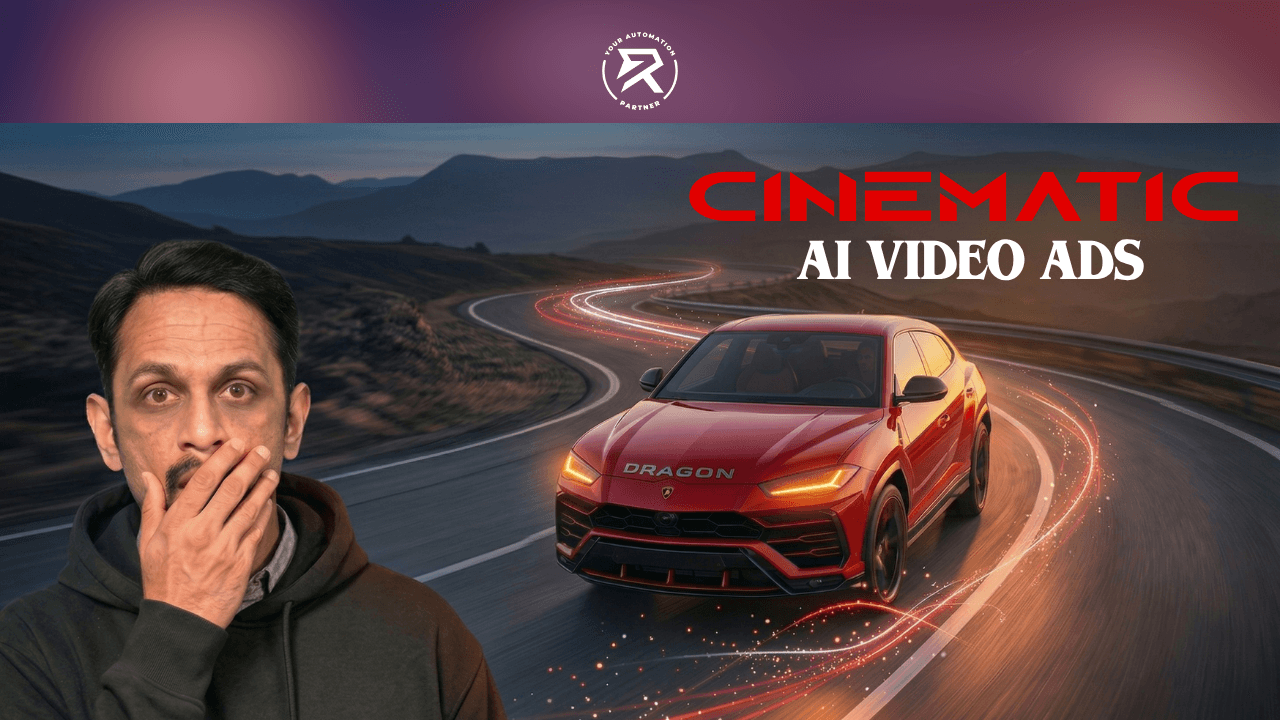
Master ElevenLabs and Google Gemini to create stunning AI video ads. Learn the workflow for cinematic storytelling, voice generation, and high-end visuals.
The Blueprint For High-Converting AI Video Ads:
Discover how to generate Hollywood-grade visuals and audio using just two elite platforms.
Learn why the combination of Google Gemini and ElevenLabs AI beats any manual production.
See how synthetic voice technology and generative video create a "perfect" digital spokesperson.
Find out the secret to using ElevenLabs TTS for matching voice pacing with AI video frames.
Master the workflow that turns a text prompt into a high-converting corporate promotional explainer.
Stop wasting money on motion-transfer tools or complex software you don't need. If you aren't using the ElevenLabs AI and Google Gemini power-stack, you are working too hard for mediocre results. Most "creators" are stuck in the past, hiring expensive voiceover talent when they could be generating professional assets in seconds.
This is your wake-up call: the era of the solo-operator production studio is here. This roadmap shows you how to use these two "co-pilots" to build cinematic storytelling that dominates your market.
Table of Contents:
Why the Gemini-ElevenLabs Stack is the Ultimate Winner
Essential Setup for High-Fidelity Video Generation
Step-by-Step Guide: Creating Your Ad with Just Two Tools
Video Tutorial: Master Cinematic Product Ads
How To Customise AI Voices for Maximum Emotional Intensity?
Why Use AI Voiceovers Instead of Human Actors?
How to Localise Videos for Global Brand Campaigns?
Common Pitfalls and Expert Warnings
Frequently Asked Questions
How I Created Cinematic Product Ads Using ElevenLabs
Business success isn't about having the most tools; it is about having the right ones. You don't need a dozen apps for movie trailers or film intros. You need a smart, streamlined workflow. By pairing ElevenLabs AI with Google Gemini, you eliminate the fluff and get straight to high-converting promotional videos.
Why the Gemini-ElevenLabs Stack is the Ultimate Winner
If you want your promotional videos to actually sell, you need two things:
stunning visuals and,
a voice that carries emotional intensity.
Google Gemini handles the high-fidelity video generation, while ElevenLabs AI provides the world's most advanced text-to-speech engine. This duo acts as a professional creative team, allowing you to generate AI-generated voices that are indistinguishable from human voice actors.
When you use a high-quality voice generator like ElevenLabs TTS, you improve the content's dramatic effect and ensure deep viewer immersion. Whether you are producing training videos or commercial voiceovers, your brand tone must be authoritative. Using a weak, robotic voiceover is the fastest way to kill your audience engagement and brand trust.
Also Read: How To Create a 2-minute Cinematic AI Video for Free
Essential Setup for High-Fidelity Video Generation
Stop hunting for extra software. This is all you need for professional audio and video.
Tool Category | Software Solution | Primary Purpose |
Voice Generator | ElevenLabs AI | Realistic AI voiceovers & sound design |
Visual Director | Google Gemini | Scripting, image, and video generation |
Asset Library | Voice Library | Accessing elite vocal styles and accents |
Audio Finishing | Speech Music | Layering background tracks within ElevenLabs |
Warning: Most beginners try to use "free" AI tools and wonder why their ads look like a school project. Stick to the elite synthetic voice technology of ElevenLabs to avoid looking cheap.
Step-by-Step Guide: Creating Your Ad with Just Two Tools
To create high-end, cinematic product ads, you need to follow a precise prompting sequence. These prompts move from basic concept generation to detailed environment building and final video synthesis. Below are the exact prompts shown in the screenshots, organised by production step.
Phase 1: Visual Production Using Google Gemini (Veo 3.1)
Step 1: The Hero Product Shot
This prompt establishes the car's design, name, and "vibe."
Prompt: "A cinematic automotive product photo of a sleek matte-black SUV named 'Dragon' parked on a cracked volcanic rock plateau at dusk. The SUV has aggressive angular body lines, sharp LED dragon-eye headlights glowing ember-orange, and a low, aggressive stance. The sky behind it is a dramatic deep crimson-to-black gradient with distant storm clouds. Ground-level fog wraps around the tyres. The word 'DRAGON' appears in bold chrome letters on the hood. Studio-quality lighting with rim light catching the matte black body panels. Shot in 16:9, ultra-realistic, 4K, product advertisement style."
Step 2: Environmental Placement
Once the car is designed, you move it into a premium setting to increase the luxury feel.
Prompt: "Now put the above car in a luxury automotive showroom interior at night. The car is parked in the center of a sleek, modern showroom with polished white marble floors reflecting the car's body. Dramatic overhead spotlights beam down on the car from above, creating sharp highlights on the matte-black hood and door panels. The orange dragon-eye LED headlights glow warmly."
Step 3: Creating the Digital Spokesperson
Generate a high-fidelity human character to "sell" the product.
Prompt: "A hyper-realistic studio portrait of a gorgeous blonde woman in her late 20s with long, straight platinum blonde hair, piercing blue eyes, sharp cheekbones, and a warm confident smile. She wears a sleek fitted black blazer over a silk white blouse with minimal gold jewellery. Three-quarter body pose, standing slightly angled, chin tilted down, eyes looking directly into the camera. Lighting: dramatic cinematic three-point studio lighting — warm soft key light on the left, subtle rim light from behind highlighting her hair, and a gentle fill light on the right. Background: deep dark charcoal seamless studio backdrop, completely blurred. Natural skin texture with visible pores, no airbrushing, no plastic skin. Shot on Hasselblad H6D-100c, 110mm portrait lens, f/2.2, ultra-sharp focus on eyes. Minimal makeup — defined brows, nude gloss lip, subtle contour. High-end luxury commercial model look. Ultra-realistic, 4K, 16:9 aspect ratio."
Step 4: Composing the Final Scene
Merge the two assets (Woman + Car) into a single, cohesive image for the ad hook.
Prompt: "The woman from Image 1 is standing confidently in front of the matte-black Dragon SUV from Image 2. Keep the woman's facial features, hair, and outfit exactly as shown in Image 1. Keep the Dragon SUV's design, matte-black finish, and orange headlights exactly as shown in Image 2. The woman stands slightly to the left in the foreground, one hand resting on the hood of the car, smiling warmly at the camera. The setting is a sleek luxury car showroom with polished white marble floors, dramatic overhead spotlights shining down on both the woman and the car. The car's ember-orange headlights glow behind her, casting warm light on her face. Full body medium shot, cinematic composition, ultra-realistic, 4K, 16:9 aspect ratio. High-end luxury automotive commercial style."
Step 5: Animating to Video (Veo 3.1)
Transform the merged image into a living commercial with a push-in shot and lip-sync.
Prompt: "A luxury car brand commercial. A stunning blonde woman with long wavy hair, wearing a sleek black blazer, stands confidently in front of a matte-black Dragon SUV inside a modern showroom with polished marble floors and dramatic overhead spotlights. She looks directly into the camera, smiling with calm authority, and says clearly: 'The Dragon. Raw power. Refined luxury. Nothing else comes close.' She places one hand gently on the hood as she finishes speaking. Medium close-up shot from chest up, camera slowly pushing in toward her face as she speaks, clearly enunciating with natural lip-sync visible. Warm rim lighting from the SUV's orange headlights behind her. Photorealistic, cinematic, no subtitles, no captions, no background music. Premium automotive advertisement style.
Troubleshooting Tips:
Audio Fix: If the initial render has glitches, use the follow-up prompt: "The audio isn't clear. Fix that."
Consistency: Always refer to previous "Image 1" or "Image 2" to ensure the AI doesn't change the car or person's appearance.
Model Selection: For these high-end results, ensure you are using Nano Banana Pro (for images) and Veo 3.1 (for video).
Phase 2: Master Audio Post-Production in ElevenLabs Studio
The steps for ElevenLabs Studio are where you transform raw AI assets into a polished, high-converting commercial. Most people just generate a voice and stop; as a "No-Nonsense Business Mentor," I’m telling you that’s why their ads look like amateur hour. You need to use the timeline to layer your elements.
Follow these exact steps within the ElevenLabs Studio interface to build your luxury SUV ad.
Step 1: Start a New Video Project
Don’t use the simple "Speech" tab. You need the Studio layout for professional timing.
How to do: Go to the ElevenLabs dashboard, click on Studio, and select "New Video Project".
Navigation: Choose "Blank Project" or "Video Voiceover".
The Why: This opens a multi-track timeline (Video, Audio, Music) that allows you to sync sound effects to specific frames.
Step 2: Import and Enhance Visual Assets (Kling 2.6)
Bring in the video you generated with Google Gemini or create fresh b-roll directly in the timeline using the Kling 2.6 model.
What to do: Drag your MP4 into the Video Track. If you need a cinematic sweep, use the following motion prompt.
Motion Prompt: "Smooth orbital camera arc from the driver's side of the matte-black Dragon SUV, slowly sweeping 90 degrees to a front hero shot. The car is completely still. Low angle, cinematic lighting, no shake, no zoom."
Pro Tip ✅: Set duration to 5s and turn audio "Off". Always "Mute" imported clips to keep a clean slate for your high-fidelity sound effects.
Step 3: Generate the Master Voiceover
Use the script you refined with Gemini.
Vocal Choice: Open the Voice Library and select a "Professional" narrator (like Parker Springfield).
Voice Settings: Set Stability to 45% and Clarity to 85%.
The Why: Lower stability creates more natural, human-like pitch changes, while high clarity keeps the brand message sharp.
Action: Type the script into the text block on the timeline. Ensure Lip-Sync is toggled ON if your video features the AI spokesperson.
Dig Deeper: How To Create an AI Voice Clone Using ElevenLabs
Step 4: Layering Sound Effects (Text-to-SFX)
An ad without sound design is a "silent movie" that nobody watches. Use the detailed prompt from the tutorial to match the SUV's "Dragon" persona.
How to do: Click the "Sound Effects" tab and set Prompt Influence to 36%.
Detailed SFX Prompt: "An intense luxury SUV engine revving immediately at high RPM, deep and powerful but refined. The rev is strong and confident, with a smooth, controlled exhaust note and no harshness. After the initial rev, the engine gradually eases down into a steady, calm idle. Premium modern luxury SUV sound, full-bodied low-end rumble, no background noise, close-range engine recording, cinematic high-fidelity."
The Why: Align the "initial rev" with the visual "hero shot" to create maximum impact.
Step 5: Background Music & Audio Levelling
Your music should support the voice, not drown it out.
Best Practice ✅: Add a "Cinematic Ambient" or "Deep House" track to the Music Track.
Levelling: Set the Music Volume to character-level 18dB and the Voiceover to 0dB.
The Why: This ensures the emotional intensity of the music is felt without making the AI voiceovers hard to understand.
Also Read: How To Create Your AI Voice Agent Using Eleven Labs
Step 6: Refine with Character Level Timestamps
This is the "magic" for professional captions.
Feature: Use the Captions tool within Studio.
The Why: ElevenLabs provides character-level timestamps, ensuring your on-screen text pops up at the exact millisecond the word is spoken.
Summary Table: ElevenLabs Production Stack
Action | Tool / Feature | Why it’s Crucial |
Narration | ElevenLabs TTS (Multilingual v3) | Professional, human-grade AI-generated speech. |
Emotion | Stability/Clarity Sliders | Prevents robotic delivery; adds "soul." |
Immersion | AI Sound Effects | Makes the environment feel real (Engine roars, etc.). |
Pacing | Timeline Editor | Matches the audio beat to the visual cut. |
Warning: Never export your ad without checking the audio-room tone. If the voiceover sounds too "dry," add a 5% "Reverb" effect or a very quiet ambient background track.
Video Tutorial: Master Cinematic Product Ads
How To Customise AI Voices for Maximum Emotional Intensity?
You cannot just "set and forget" your AI voice generators. To truly capture viewer immersion, you must master the clarity sliders in ElevenLabs.
Most beginners fail because they leave everything on default. You need to adjust the settings to ensure your commercial voiceovers sound human and relatable.
As per the source, human listeners are highly sensitive to natural breathing and pacing.
To fix this, use the ElevenLabs AI "Style Exaggeration" tool. This ensures your brand message is delivered with the right punch, making your social media content stand out from the noise.
Why Use AI Voiceovers Instead of Human Actors?
Using traditional voice actors is a bottleneck. You have to wait for quotes, schedules, and retakes. With a Text-to-Speech generator, you are in total control.
Speed: Video generation goes from days to minutes.
Cost: Lower your production costs for training videos and ads.
Consistency: Your brand tone remains identical across every single video you ever make.
Frequently Asked Questions (FAQ)
Can you use ElevenLabs for commercial use?
Yes, but you need a paid subscription. According to the official source, free users do not have commercial rights. To use AI-generated voices for brand campaigns or promotional videos, you must subscribe to a plan that includes a commercial licence.
How to make product video ads with AI?
Use a "Two-Tool" workflow: generate your script and cinematic visuals (using Veo 3.1) in Google Gemini, then import them into ElevenLabs AI. Use the ElevenLabs Studio timeline to layer text-to-speech, engine Sound Effects, and background music for professional cinematic storytelling.
Can Eleven Labs generate video?
Yes. While famous for AI voices, the platform now includes video generation tools like the Kling 2.6 model. You can generate high-fidelity motion directly from the ElevenLabs AI dashboard, allowing you to create movie trailers and film intros without leaving the site.
Can I create a unique voice for my brand?
Yes. You can use voice customisation tools in ElevenLabs to create a unique voice that no one else has. This ensures your brand message is always delivered by a distinct and recognisable "voice."
How do I get the best results from Google Gemini for video?
Be specific. Instead of "car ad," use "Cinematic tracking shot of a silver SUV driving through a neon-lit city at night, 4k resolution." Combine this with a high-quality voiceover for maximum impact.