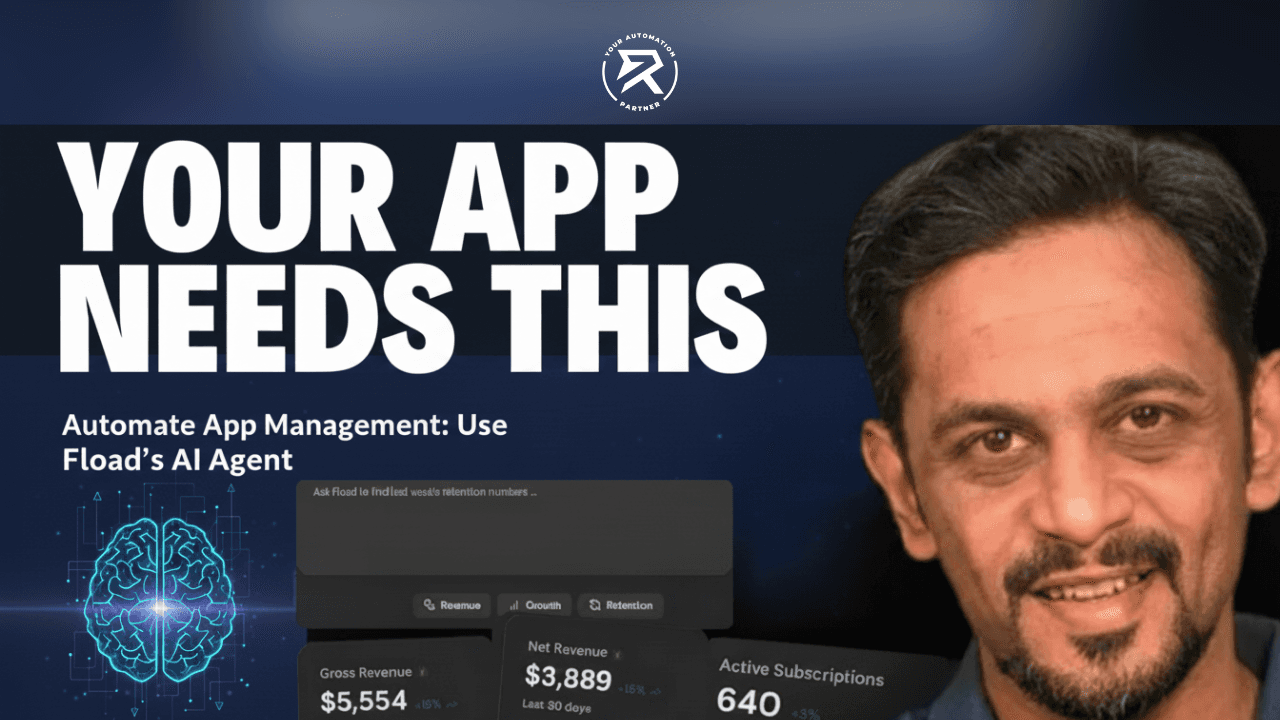
Automate App Management: Use Fload’s AI Agent
Key Pointers:
All Your Apps in One Place: Stop checking ten different websites. See all your downloads, sales, and ad data on one simple screen.
Your 24/7 Digital Helper: This AI "employee" never sleeps. It watches your app day and night and alerts you instantly if something breaks.
Just Ask Questions: No coding needed! Simply type "Why did my sales drop?" in plain English to get an instant answer.
Predict the Future: Don't just look at the past—use AI to forecast your future revenue and growth trends automatically.
Fast & Easy Setup: Connect all your accounts in under 30 seconds without writing a single line of code.
Table of Contents:
What Is Fload.com And Its Role In App Monitoring?
What Is App Monitoring and Why Is It Important For Developers?
How Does the Fload.com AI Agent Make Managing Apps Easier?
Is the Setup Difficult, or Does It Require Coding?
Real-Time App Analytics & Performance Monitoring
How Does the 24/7 'Automated Anomaly Detection' Work?
Download Attribution & Revenue Trends
AI Revenue Forecasting & App Valuation Audit
Can Teams Create Custom Dashboards & Reports?
Natural Language Queries in Plain English
Who Is Fload.com Built For?
The Future: Autonomous AI-Driven App Strategy
Video Review on Fload.com
Fload.com AI Platform For App Analytics
FAQ
How Can I Use Fload.com For App Monitoring Purposes?
Does Fload.com Support Integration With Other Developer Tools?
How Can I Troubleshoot Data Or Alert Issues Within Fload.com?
How Does Fload.com Compare To Other Platforms In Features And Pricing?
Why Should I Choose Fload.com Over Other Tools?
Checking mobile application performance often means opening many different tools every day. App developers and mobile app operators usually rely on App Store Connect, Google Play, ad platforms, and several app analytics tools at the same time. Because data is scattered across platforms, it becomes difficult to understand what is really happening with the app, slowing down decision-making and growth.
Fload.com solves this problem by bringing all app data into one platform. It combines advanced data analysis, real-time data, and performance monitoring so teams can see everything in one place. Fload.com is built for modern mobile app management. It provides product analytics, business intelligence, and clear data insights. These help teams act faster, reduce manual work, and improve app performance.
What Is Fload.com And Its Role In App Monitoring?
Fload.com is an AI-powered platform designed to act as a "virtual employee" for mobile app teams. While traditional monitoring requires you to log into multiple dashboards, Fload.com consolidates data from the App Store, Google Play, ad networks, and analytics tools into one central hub.
It relates to app monitoring by automating the observation process. Instead of a developer manually checking for spikes or drops, Fload.com uses AI to watch your data 24/7 and provide proactive insights.
What Is App Monitoring and Why Is It Important For Developers?
App monitoring is the continuous process of tracking an application's health, performance, and user behavior. For developers, it is the "safety net" that ensures the app stays functional after launch.
Why it’s critical:
User Retention: Most users delete an app after just one crash or slow loading screen. Monitoring helps you fix these before the user base leaves.
Performance Benchmarking: It allows you to see if a new update improved or worsened the app's speed.
Revenue Protection: If a subscription flow breaks, monitoring alerts you immediately so you don't lose days of income.
Also Read: B12 AI Website Builder Review: Build Website In One-Click
How Does the Fload.com AI Agent Make Managing Apps Easier?
Think of Fload.com as a digital employee that never sleeps. Usually, app owners have to log into five different websites just to see how their business is doing. Fload.com changes that by connecting everything—like your downloads, sales, and ads—into one place in less than 30 seconds.
Because it’s an AI Agent, it doesn't just sit there. It constantly "watches" your app’s data for you. If something important changes, it tells you immediately. This means you don't have to spend your whole day staring at boring charts; you can spend your time making your app better while the AI handles the repetitive "watching" part.
Key Highlights of the AI Agent:
Saves Time: Connects your entire app business in under 30 seconds.
Works 24/7: Tracks user behavior and performance even when you're offline.
Reduces Stress: No more switching between App Store and Google Play dashboards.
Is the Setup Difficult, or Does It Require Coding?
Getting started with Fload.com is simple and quick. There is no need to use SQL commands, write code, or involve engineering teams. Secure data connectors pull information automatically from app stores, analytics tools, and payment systems. They bring this data into one central custom dashboard. This ensures the data is always accurate and ready to use.
Fload.com also makes data easy to understand. It converts complex metrics into plain English and allows teams to interact with data through a conversational interface. This helps everyone understand performance and track trends. It also helps identify opportunities without relying on analysts. Teams do not need to spend hours making reports manually.
Also Read: Trupeer AI: Turn Raw Screen Recordings into Pro Videos
Real-Time App Analytics & Performance Monitoring
Fload.com provides real-time mobile app analytics so teams always know how their app is performing. Metrics such as crash rates, downloads, revenue, and user engagement are updated continuously. Having everything in one place ensures teams can quickly see patterns, trends, and unexpected changes as they happen, without delays.
With constant performance monitoring, teams can detect issues early and fix them faster. This leads to smoother updates, fewer disruptions, and better on-time delivery for app releases, improving both the user experience and overall app reliability.
Core monitoring features include:
Automated crash reporting tools
Real-time alerts for unusual revenue changes
Faster issue resolution and improved release timelines
How Does the 24/7 'Automated Anomaly Detection' Work?
Anomaly detection runs quietly in the background at all times. It monitors downloads, subscriptions, retention, and revenue trends without manual effort. When something unusual happens, Fload.com detects it instantly, highlights the issue, and provides context to help teams take immediate action.
This continuous monitoring helps AI make predictions and forecast future trends. Teams can adjust app strategy early, before small issues grow into bigger problems that could affect growth, revenue, or user satisfaction, ensuring the app remains competitive in the market.
Also Read: AI Automation Trends in 2026: Turning Ideas into Reality
Download Attribution & Revenue Trends
Understanding where growth comes from is critical for scaling mobile apps. Fload.com uses detailed attribution data across app stores and ad platforms to connect user acquisition directly with revenue trends. This provides a clear and actionable picture of which strategies are working and which areas need improvement.
Teams can see which regions, campaigns, and sources perform best. This helps teams optimise faster and reduce wasted spending. It improves project profitability over time. It ensures marketing and development resources are used efficiently.
AI Revenue Forecasting & App Valuation Audit
Fload.com goes beyond basic reporting by using ML algorithms to forecast future revenue. It also performs an app valuation audit using both historical and real-time data. Acting like an AI data analyst, the platform helps teams see potential growth opportunities and make strategic choices with confidence.
These insights help teams understand long-term growth potential, plan budgets accurately, and prioritise features or campaigns. By using data rather than assumptions, app operators can reduce risk and make decisions that have a measurable impact on revenue.
Also Read: Boost ROI through Automated Consulting Process | Ritz
Can Teams Create Custom Dashboards & Reports?
Fload.com allows teams to build custom dashboards based on their most important KPIs. These can include ARPU, retention, crash rates, and user engagement. Having a centralised interface ensures that all stakeholders, from developers to managers, are aligned on key metrics and insights.
By centralising reporting, teams reduce manual work and confusion. Everyone works with the same accurate information. This improves alignment and makes collaboration easier. It helps teams respond quickly to performance changes and opportunities.
This results in:
Consistent insights across teams
Less time spent on manual reporting
Better visibility for mobile app operators and founders
Natural Language Queries in Plain English
Fload.com makes data analysis simple for everyone. Teams can ask questions like “Why did revenue drop last week?” or “Which users churned after the last update?” and get clear answers immediately. This removes technical barriers and enables data-driven collaboration across the team.
The responses are easy to understand and actionable. Teams can respond to issues faster, optimise strategies based on insights, and make decisions that drive app growth without waiting for technical staff or analysts to interpret the data.
Also Read: No-Code Apps Platforms: Guide to Quality and Performance
Who Is Fload.com Built For?
Fload.com is specifically designed to support developers, indie builders, and app managers of all sizes. Whether you are a solo founder managing a single passion project or a growth lead overseeing a complex portfolio of several mobile applications, the platform scales effortlessly.
Here is a deeper look at how it supports each specific group:
1. For Developers: Eliminating "Data Drudgery".
Developers often lose hours to manual instrumentation and debugging data discrepancies between platforms (e.g., why Google Play reports different revenue than an internal database).
Unified API & Connectors: Fload.com eliminates the need to write custom scripts to fetch data from different stores.
Automated Error Tracking: By integrating crash reporting with business metrics, developers can see exactly how a bug in a specific build impacts revenue or retention in real-time.
2. For Indie Builders: A "Virtual Data Scientist".
Indie builders rarely have the budget for a dedicated data analyst. Fload.com fills this gap by acting as an automated "AI Employee."
Conversational Insights: Instead of building complex SQL queries, an indie builder can simply ask, "Is my new subscription tier actually converting?" and get an immediate visual answer.
Scalable Infrastructure: As an indie project grows from 100 to 100,000 users, the platform scales its monitoring without requiring the builder to upgrade their technical stack.
3. For App Managers: Strategic Oversight
Managers of large portfolios need a "bird's-eye view" to identify which apps are thriving and which need intervention.
Portfolio Aggregation: Instead of logging into five different App Store Connect accounts, managers see a single, consolidated dashboard.
Anomaly Detection: The platform proactively alerts managers to sudden drops in engagement or spikes in uninstalls across any app in their portfolio, preventing small issues from becoming expensive crises.
How it Reduces Manual Workflows:
Manual Process | Fload.com Transformation |
Data Collection | Automatically pulls from 10+ sources in <30 seconds. |
Reporting | Generates KPI reports via plain English queries. |
Trend Analysis | 24/7 AI-driven anomaly detection (no manual checking). |
Forecasting | Uses ML algorithms to predict future revenue based on current trends. |
By automating these repetitive monitoring tasks, Fload.com ensures that your team’s most expensive resource—human creativity—is spent on building features that users love, rather than staring at spreadsheets.
Also Read: Sales motivation Dashboard: Track Performance & Commissions
The Future: Autonomous AI-Driven App Strategy
Fload.com is evolving beyond analytics into action. Upcoming features like Autonomous Execution, automated A/B tests, and deeper AI prediction models will allow teams to act on insights immediately. This helps reduce delays between data collection and strategic decisions.
This transformation makes Fload.com more than a monitoring tool. It becomes an intelligent partner for long-term mobile app growth, supporting teams in executing strategies that are proactive, precise, and driven by real-time data.
Video Review on Fload.com
Fload.com AI Platform For App Analytics
Fload.com brings app analytics, product analytics, and business intelligence together into one AI-powered platform. It delivers real-time insights, predictive forecasting, and actionable intelligence in a single system. Teams no longer need multiple tools to understand app performance, making management simpler and more efficient.
FAQ
1. How can I use Fload.com for app monitoring purposes?
Using Fload.com is different from traditional tools because it is no-code. You don't need to manually instrument every button.
Step 1: Connect your store accounts (App Store Connect/Google Play).
Step 2: Link your ad platforms and payment systems (like Stripe).
Step 3: Use the conversational interface to ask questions like "Why did my churn increase yesterday?" instead of digging through spreadsheets.
2. Does Fload.com support integration with other developer tools?
Yes. To ensure your team stays in the loop, Fload.com supports integrations with common collaboration and productivity tools:
Collaboration: Deep integration with Slack and Microsoft Teams to send real-time alerts.
Data Sources: Connects with iOS, Android, Web, and major Ad/Analytics platforms to aggregate data from 10–15 different sources into one place.
3. How can I troubleshoot data or alert issues within Fload.com?
If you encounter issues like missing data or "false alerts," follow these steps:
Check Connection Status: Ensure your API tokens for App Store Connect or Google Play haven't expired.
Verify Evaluation Windows: Sometimes alerts trigger because the "window" of time being measured is too small (sparse data).
Use the History Graph: Fload.com allows you to look back at the historical context of an alert to see if the "anomaly" was a genuine error or just a predictable seasonal trend (like a holiday dip).
4. How does Fload.com compare to other platforms in features and pricing?
Fload.com stands out because it focuses on Business Intelligence (BI) and Growth, whereas traditional tools like Firebase or Sentry focus on Technical Debugging.
Feature / Pricing | Fload.com | Traditional Tools (Firebase/Sentry) |
Main Focus | Revenue, Growth, and BI. | Bugs, Crashes, and Code Health. |
Ease of Setup | No-Code (Connects via API in <60s). | High-Code (Requires installing an SDK). |
Analysis | Ask questions in plain English. | Must build complex SQL/Data queries. |
Pricing | Often starts with a Free Plan; Paid plans are predictable (around $99 - $500/mo). | Free for small apps, but costs can skyrocket as you scale. |
5. Why should I choose Fload.com over other tools?
You should choose Fload.com if you want to be a proactive owner rather than a reactive fixer. Here are the three main reasons:
You save hours of manual work: Instead of logging into five different dashboards (Apple, Google, Stripe, Facebook Ads), Fload.com puts everything in one place.
It finds the "Whys" for you: Most tools tell you that your revenue dropped. Fload.com tells you why (e.g., "Your new update caused a 10% crash increase in Germany, hurting sales").
Built for Growth, not just maintenance: It acting as a "virtual data analyst," helping you forecast future revenue and identify which marketing campaigns are actually making you money.